
Seedance vs PixVerse: Compare AI Video Workflows With One Fair Test
Compare Seedance and PixVerse as AI video generators with the same source, prompt, review criteria, and project goal—not a fast-aging feature list.
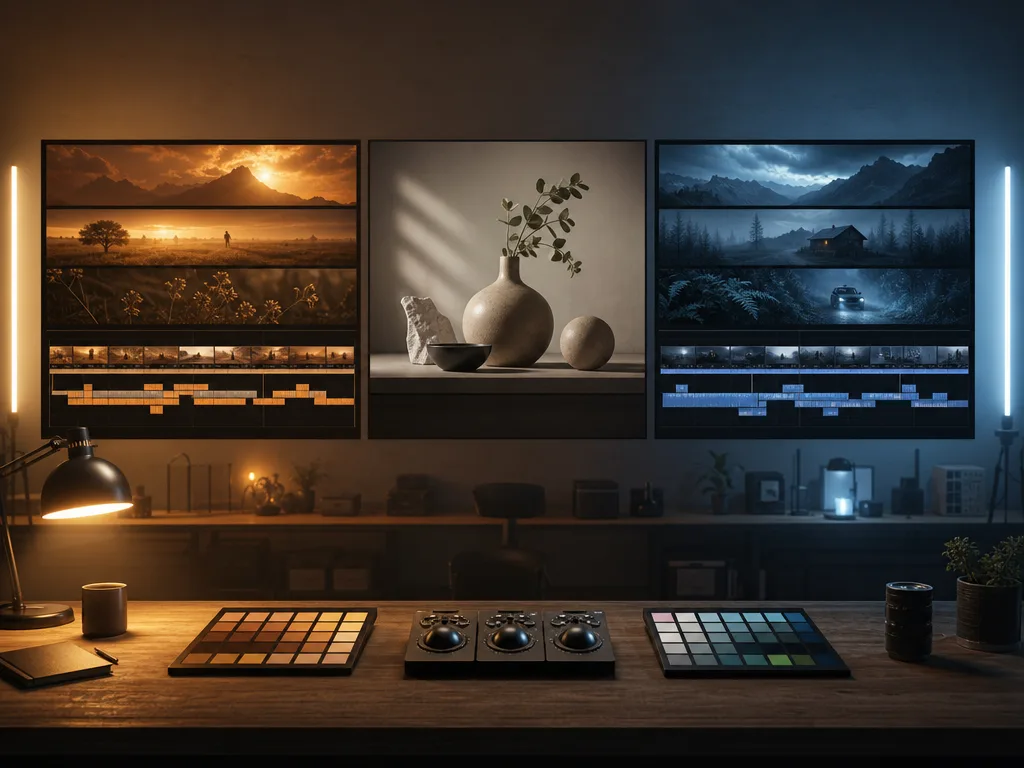
The useful Seedance vs PixVerse answer comes from a matched test, not a permanent winner. Give each AI video generator the same permitted source, a short preservation-first prompt, and the same review checklist. Then choose the workflow that produces the most usable clip for your actual project—not the one with the longest feature page.
Last updated: July 21, 2026 · about 9 min read
Model interfaces, plans, and releases change quickly. A comparison that treats a current plan, price, or version name as timeless can mislead you before you open either tool. This guide deliberately avoids unverified feature and pricing claims. It gives you a repeatable way to compare Seedance and PixVerse with your own inputs.
Begin with the job, not the brand
Write down the clip you need before you render. A product reveal, character moment, mood loop, and social hook are different tests. Treat each AI video generator as a workflow to test, then choose the one that helps you reach a reviewable result with a source and process you can actually use.
| Project question | What to prepare before testing | What a useful result should show |
|---|---|---|
| Can this product photo become a short reveal? | A permitted, clear product image | Product shape stays readable through one small motion |
| Can this portrait carry a quiet opening beat? | A portrait with consent and a clean background | Identity and expression remain stable |
| Can we turn a written idea into a scene? | A short visual brief, not a full voiceover | The first frame, action, and ending make sense together |
| Can this fit an edit? | Intended aspect ratio and a simple ending need | A final frame that can hold for a cut or caption |
If the project begins from a still, the Seedance image-to-video guide is a useful setup reference. If it begins from an idea, write one scene with a clear subject and action before using any AI video generator.
That keeps an AI video generator comparison tied to a real edit or campaign decision instead of a generic feature checklist.
Run the same first test in both tools
An unfair comparison gives one model a polished brief and the other a vague experiment. Start with a conservative request that makes failures easy to see.
Keep the uploaded subject, composition, colors, lighting, and background stable. Add one small natural movement and a slow camera push-in. Keep the main subject and important edges consistent. End on a clean frame that can hold for one second.
Use that same source and prompt in Seedance and PixVerse. Keep your review notes next to the files. Do not change the image, scene, duration target, and camera idea all at once; otherwise, you will be comparing different creative decisions rather than different workflows.
| Test round | Change | What to watch |
|---|---|---|
| 1. Preservation | One subtle action, one camera move | Subject stability, shape, and background drift |
| 2. Brief fit | Add one specific creative requirement | Whether the requirement appears without damaging the source |
| 3. Revision | Fix one observed issue | Whether the next attempt becomes easier to direct |
The point is not to crown a model after one lucky clip. A fair AI video generator comparison should reveal which workflow gives you an actionable next step when the first clip is imperfect.
Score the clip instead of the marketing page
Watch every result twice: once at normal speed, then again for the frames that need to survive an edit. Give each category a simple note: usable, needs revision, or not usable for this project.
Illustration: a generic workflow comparison, not a measurement or a claim about either product's output.
| Review area | Question to ask |
|---|---|
| Source fidelity | Does the output preserve the person, product, or scene you supplied? |
| Motion | Is the movement intentional rather than wobbly or unrelated? |
| Important detail | Do faces, hands, product edges, and background boundaries remain plausible? |
| Camera | Does the move support the message without hiding the subject? |
| Ending | Can the final second hold for a cut, caption, or transition? |
| Revision path | Can you name one precise change for the next attempt? |
The revision-path question is often the most valuable. A clip does not have to be perfect on the first render. But if a result gives you no clue whether to improve the source, simplify motion, or change the prompt, it may be slow to use in a real production loop.
Where Seedance may fit your test
Seedance can be a sensible first test when your creative brief is built around a controlled source image, a planned scene, or a reference-guided direction. Its own workflow guides emphasize starting from a clear frame, describing one motion, and reviewing the final usable frame rather than asking a prompt to invent every important detail.
That approach is especially useful when you want to preserve a product shape, portrait, or composition. Use the Seedance prompt examples to turn a broad idea into a small shot plan, then use the generation troubleshooting guide if the first render drifts.
This is a workflow-fit statement, not a promise that every Seedance render will be better. Your own source, prompt, access level, and intended edit are what determine the result.
Where PixVerse may fit your test
PixVerse may be the better practical choice when its current interface, access, or creative workflow fits the way your team already works. Check PixVerse's current official documentation for the exact modes, plan limits, supported inputs, commercial terms, and regional availability before you make a purchase or production commitment.
Apply the same discipline to Seedance. Product capability and pricing pages can change. A current official page and one small matched render test are more dependable than a months-old comparison article that states specifications as permanent facts.
Avoid the two common false winners
The first false winner is the most dramatic clip. A striking output may be unusable if it changes the product, person, or final message. The second is the cheapest-looking plan. A plan is not a good fit if it cannot produce the source fidelity or edit-ready frame your project needs.
Instead, make the decision in this order:
- Use only source material you have permission to test and publish.
- Run the shared preservation test.
- Run one project-specific test, such as a product reveal or portrait opening.
- Review the full frame sequence, not just the thumbnail.
- Check each product's current official terms, plans, and limits before paying or committing a client workflow.
For a wider campaign, turn the winning test into a short Seedance shot-by-shot storyboard. That makes it easier to separate a good one-shot experiment from a sequence that can hold together in an edit.
FAQ
Is Seedance better than PixVerse?
Not for every project. Use the same source, prompt, and review checklist in both tools, then choose the workflow that gives you the most usable result for the specific clip you need.
How can I compare AI video generators fairly?
Keep the source image, prompt, desired aspect ratio, scene goal, and review criteria the same. Start with a restrained preservation test before you add complex action or camera movement.
Should I choose by price or current feature list?
Check current official plans and documentation before you pay, but do not rely on a feature list alone. A short matched test reveals whether the tool can preserve your source and deliver a frame you can actually use.
What should I check in the final render?
Check source fidelity, motion, important details, camera behavior, final-frame usability, and whether you can make one specific improvement on the next attempt.
Related guides
- Seedance 2.5 image-to-video
- Seedance 2.5 text-to-video prompt guide
- Seedance vs Hailuo: a matched first test
- Turn a prompt into a shot-by-shot storyboard
Let the test decide
Open Seedance, prepare one permitted source and one restrained prompt, then compare the full results from each AI video generator with the same checklist. A fair Seedance vs PixVerse test gives you a production decision you can explain, rather than a generic claim that will age with the next release.