
AI Video Generator: Real Estate Prompt Guide
Use an AI video generator to plan honest real-estate concept clips from property photos with simple prompts, short shots, and clear limits.
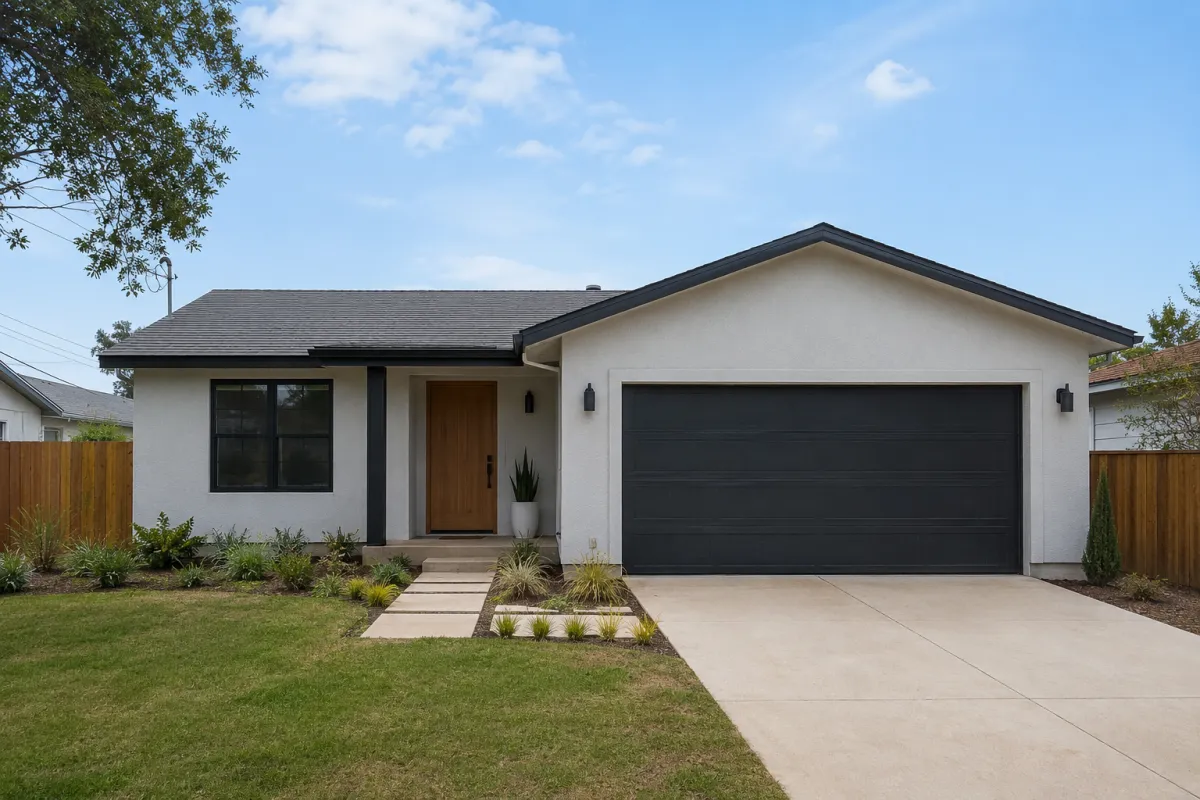
An AI video generator can turn a still listing image into a short concept clip, but it should never be used to invent rooms, views, finishes, or property features that do not exist. In a Seedance image-to-video workflow, use a verified property photo, request one restrained camera move, and label the result clearly when it is a concept rather than a real walkthrough.
Last updated: July 12, 2026 - about 6 min read
Quick answer
For a property photo, generate one short shot at a time: an exterior push-in, a slow interior pan, or a detail reveal. Keep the prompt tied to visible facts in the source image. If the source does not show a balcony, second room, fireplace, or view, do not ask the model to create one.
The best use is early-stage storytelling: social teasers, mood concepts, or a rough edit plan. Use actual photography and verified footage for a listing walkthrough.
Choose a shot that the image can support
An image-to-video tool has more room to succeed when the source already contains the important subject and composition. Start with one camera action, not a whole property tour.
| Source image | Safer short shot | Prompt focus |
|---|---|---|
| Exterior with clear facade | Slow push-in or subtle drift | Preserve windows, roofline, landscaping |
| Wide living room | Gentle lateral pan | Keep furniture and wall lines stable |
| Kitchen detail | Slow close-up move | Hold cabinets, fixtures, and surfaces steady |
| Empty room | Small natural-light change | Do not add furniture or architectural features |
This is a practical limit, not a creative failure. A still image cannot prove what exists outside the frame. A good real estate AI video generator prompt respects that boundary.
Build a four-shot plan before you generate
Instead of asking for a 30-second tour in one go, make a simple sequence with individual checks between shots.
- Pick a verified exterior or entry image for the opening.
- Choose one strong room image for a slow, stable interior shot.
- Add a close detail only if it is visible in a real photo.
- End with a factual card or direct viewers to the verified listing, not a generated claim.
For each shot, write one subject, one camera move, and one preservation rule. Example: "slow camera move across the existing living room, daylight shifting softly through visible windows, keep furniture layout, wall details, and room proportions unchanged." The camera movement prompt guide can help you keep the instruction narrow.
Keep the prompt factual
The most useful real-estate prompts describe what is visible rather than what would make the property look more impressive. Avoid claims such as "add a luxury skyline view" or "make the room larger." Those requests turn a concept clip into a misleading representation.
Use generated motion to animate a verified image. Do not use it to create property features, amenities, or views that a buyer might mistake for real.
If you use a real estate AI video generator for marketing, have someone who knows the property review every frame. A smooth camera move can still introduce a changed window, altered countertop, missing door, or extra object.

Plan each shot around a photo you can verify, then review every frame against the source.
Review the clip before it goes anywhere
Open the generated video beside the original source. Check:
- Windows, doors, and major architectural lines.
- Furniture placement and visible fixtures.
- The amount of light and the direction it comes from.
- Whether any new room, view, or amenity appears.
- Whether the clip is clearly presented as a concept when it is not real footage.
If a clip changes material facts, discard it. Do not rely on a short disclaimer to solve a misleading visual. The safest answer is to use real video for that shot.
Where a concept clip can help
Short, clearly labeled motion concepts can help an agent or creative team decide which images should become a real shoot, how a social sequence might open, or where a listing story needs more footage. They can also test pacing before an editor works with verified media.
They should not substitute for an inspection, a floor plan, disclosure, or a filmed walk-through. Buyers need accurate information, and property marketing has higher stakes than a casual social post.
FAQ
Can an AI video generator make a full real estate walkthrough from photos?
It can create short concept clips from individual images, but it cannot verify unseen rooms or produce a trustworthy replacement for a real walkthrough. Use verified photos and footage for factual marketing.
What is the safest prompt for a property photo?
Describe one gentle camera move and explicitly preserve visible architecture, furniture, lighting direction, and room proportions. Do not request new features or a larger-looking space.
Should I label an AI-generated property clip?
Yes, especially when viewers could mistake it for real footage. Clear labeling and frame-by-frame review are part of using generated media responsibly.
Related guides
- Try Seedance image-to-video
- Seedance camera movement prompts
- Seedance reference image guide
- Aspect ratio and duration guide
Keep the brief honest, keep each shot small, and use real property media whenever the viewer needs facts rather than a concept.