
Seedance 2.5 Character Consistency: Tips for Reference Images
Keep characters consistent in Seedance 2.5 with better reference images, simpler motion prompts, stable framing, and image-to-video AI tests.
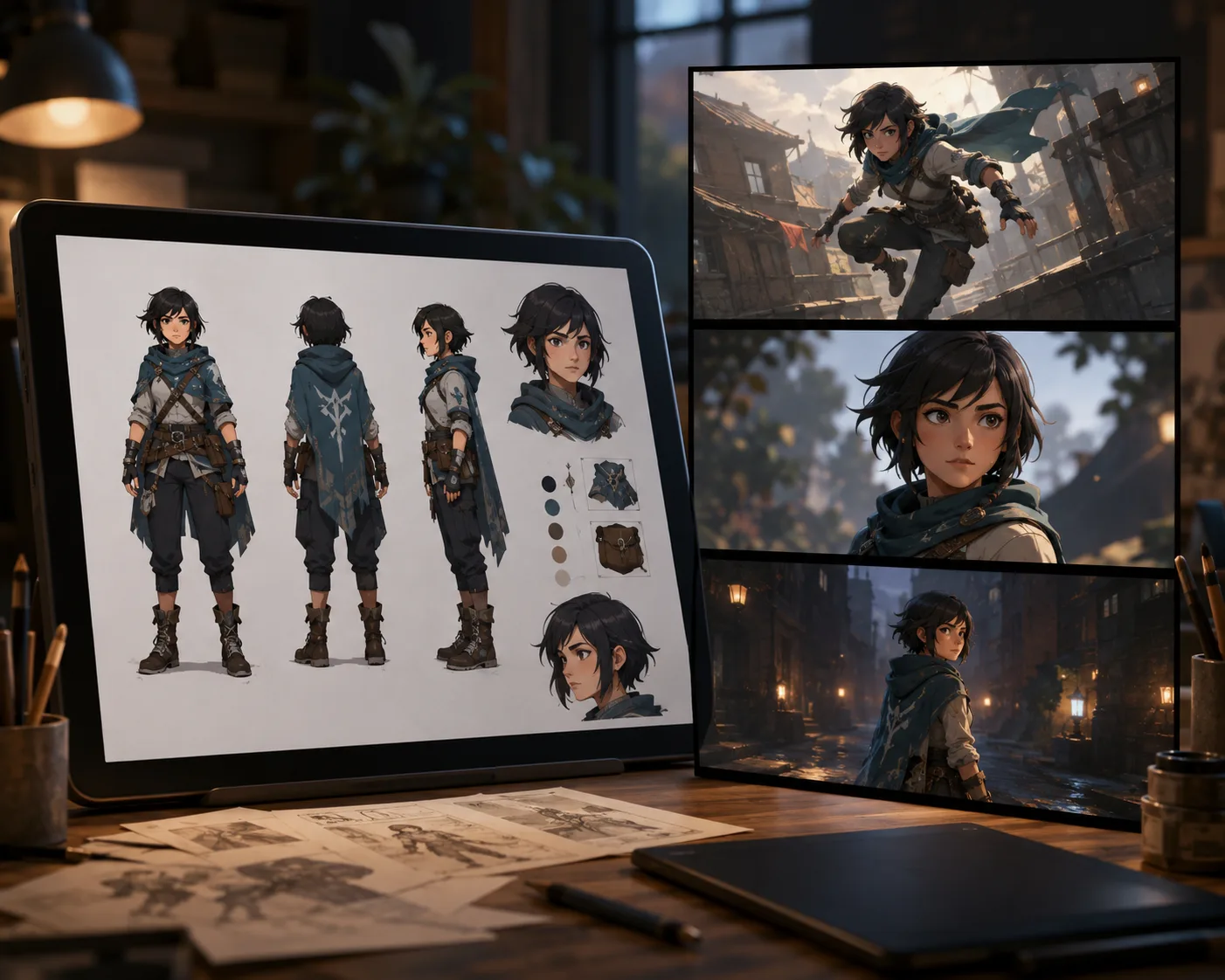
Seedance 2.5 character consistency starts with the reference image. If the face, costume, colors, and silhouette are clear in the still frame, an image to video AI workflow has a much better chance of keeping the same character through motion.
Last updated: July 6, 2026 - about 7 min read
The mistake is asking the prompt to do all the identity work. A prompt can protect details, but it cannot rescue a weak reference. Build a clean character input first, then use Seedance 2.5 to animate one controlled movement at a time.
What character consistency means
Character consistency is not perfection across an entire film. For short AI video clips, it means the viewer still recognizes the same character from first frame to last frame.
Watch these details:
- Same face shape and main facial features
- Same hairstyle and color
- Same outfit silhouette
- Same key colors and accessories
- Same body type and posture
- Same general art direction or realism level
If one of those drifts, the clip may still look good, but it no longer feels like the same character.
Use image-to-video when identity matters
Text-to-video is useful for rough ideas. Image-to-video AI is safer when the character already has a look.
Use Seedance 2.5 image-to-video when:
- You have a finished character design
- The face or outfit needs to stay stable
- The clip is part of a series
- The same character appears in ads, game concepts, or storyboards
- You need a predictable first frame
Start from one strong still. If you do not have one yet, create or select the character image first, then animate it. That is the practical advantage of image to video AI for character work: the visual identity begins in a frame you already trust.
Reference image checklist
A good reference image should be easy to read even as a thumbnail.
| Reference detail | Good input | Risky input |
|---|---|---|
| Face | Clear, front or three-quarter view | Tiny face, heavy shadow |
| Outfit | Full silhouette visible | Cropped costume, hidden details |
| Colors | Limited palette, stable lighting | Mixed light, color casts |
| Accessories | Large, readable shapes | Tiny jewelry or unreadable marks |
| Background | Simple enough to separate | Busy scene competing with character |
If the character has a signature item, make it obvious. A red scarf, silver jacket, or round glasses is easier to preserve than five tiny costume details.
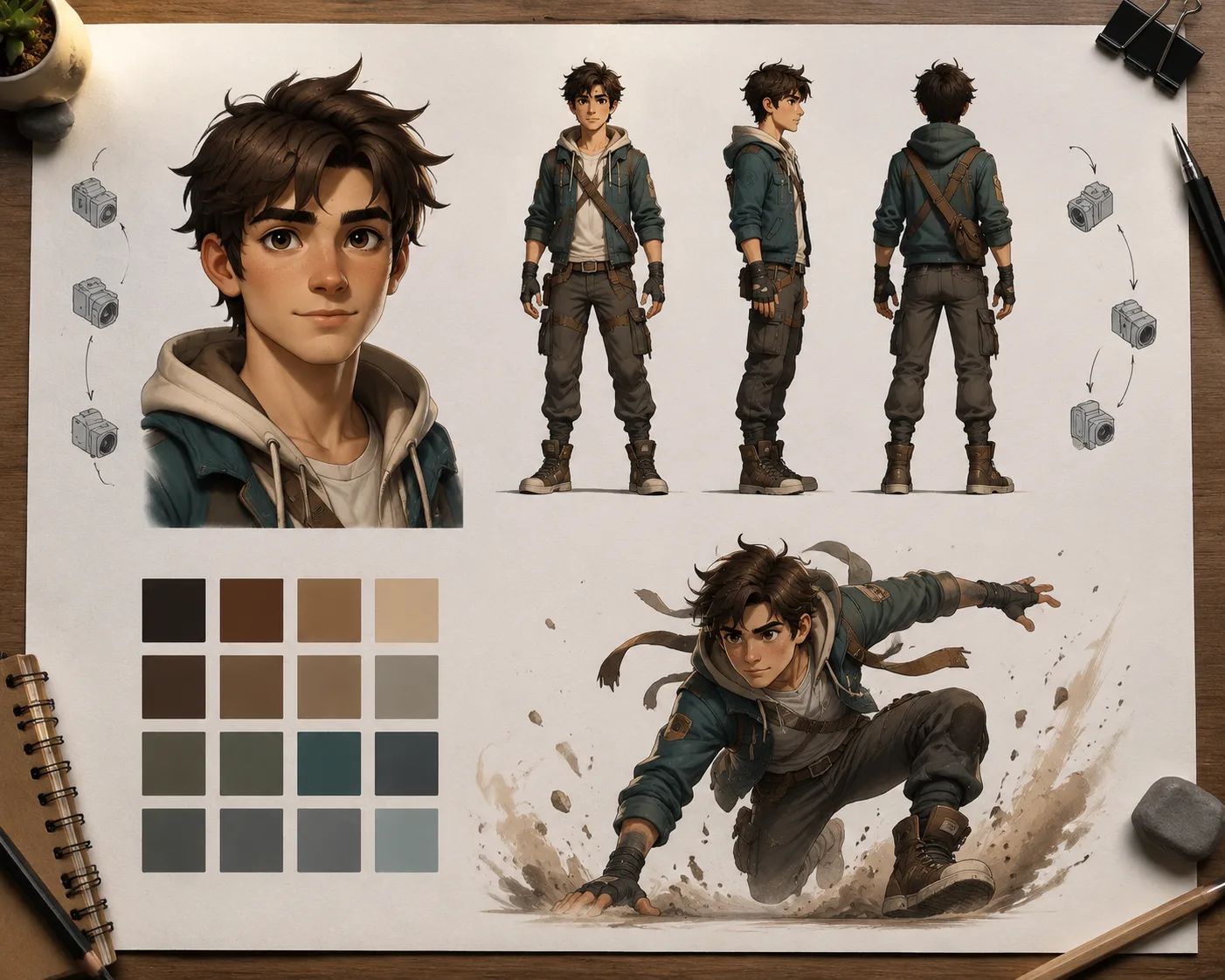
Give the model a clear face, full silhouette, colors, and one protected detail.
Prompt formula for Seedance 2.5 character consistency
Use a prompt that protects identity first, then adds motion.
Keep the same character identity, face shape, hairstyle, outfit, colors, and lighting from the reference image. Animate [one action]. Add [one camera move]. Keep [protected detail] stable. End on [final pose].
Example:
Keep the same character identity, face shape, copper bob haircut, teal jacket, and warm studio lighting from the reference image. Animate the character turning slightly toward the camera with a small confident smile. Add a slow camera push-in. Keep the jacket color and hair shape stable. End on a centered portrait pose.
This works because the model gets a short list of what must not change.
Keep the motion small in the first test
Large motion is where identity drifts. A running jump, fast spin, or camera orbit forces the model to invent unseen angles. For the first Seedance 2.5 character consistency test, keep motion modest:
- Slow head turn
- Small expression change
- Hair moving in a light breeze
- Hand lifting slightly
- Camera push-in or subtle drift
Once the character survives a simple clip, increase motion step by step. Do not start with the hardest shot.
Common consistency problems and fixes
The face changes. Use a closer reference image, reduce motion, and explicitly say "keep the same face shape and facial features."
The outfit changes. Name the outfit color and silhouette. Avoid asking for new lighting or a new scene in the same test.
Accessories disappear. Protect one or two important accessories only. Too many small details overload the prompt.
The style shifts. Say whether the clip should stay photorealistic, cinematic, anime-inspired, 3D, or illustration-like. Mixing style words causes drift.
The background takes over. Use a simpler reference frame or prompt the background to stay soft and secondary.
Build a repeatable workflow
For a series, do not prompt each clip from scratch. Keep a small character kit:
- Master reference image
- Close-up face reference
- Full-body reference
- Color and outfit notes
- Protected detail list
- A short prompt template
Then generate each clip through the same Seedance 2.5 AI video generator. That repeatability matters more than finding one clever prompt.
For more examples, see Seedance 2.5 prompt examples and the Seedance 2.5 image-to-video guide.
Frequently asked questions
How do I keep a character consistent in Seedance 2.5?
Use a clear reference image, protect the face, hairstyle, outfit, colors, and key accessory in the prompt, and start with small motion. Image-to-video is usually more stable than text-to-video for character identity.
Is image-to-video AI better for character consistency?
Yes, when the character design already exists. Image-to-video AI anchors the first frame, while the prompt controls motion. Text-to-video gives the model more room to invent the character.
Why does my character change during motion?
The motion may be too large, the face may be too small in the reference, or the prompt may be asking for a new scene and new action at the same time. Simplify the shot and protect the identity details.
Should I use one reference image or several?
Start with one strong reference image. For a series, keep a small kit with a close-up face, a full-body view, and written notes about protected colors and accessories.
Related guides
- Seedance 2.5 AI video generator
- Seedance 2.5 image-to-video
- Seedance 2.5 image-to-video guide
- Seedance 2.5 prompt examples
- Seedance 2.5 video generator
Start with the reference, then animate
For character consistency, the still image is the foundation. Make it clear, protect the identity in the prompt, and run a short Seedance 2.5 image-to-video test before you build the next shot.