
What's Special About Seedance 2.5? 30s Videos, 50 References, and the Seedance 2.0 Upgrade
Seedance 2.5 adds longer 30-second scenes, up to 50 references, reference-to-video workflows, local edits, and production control.
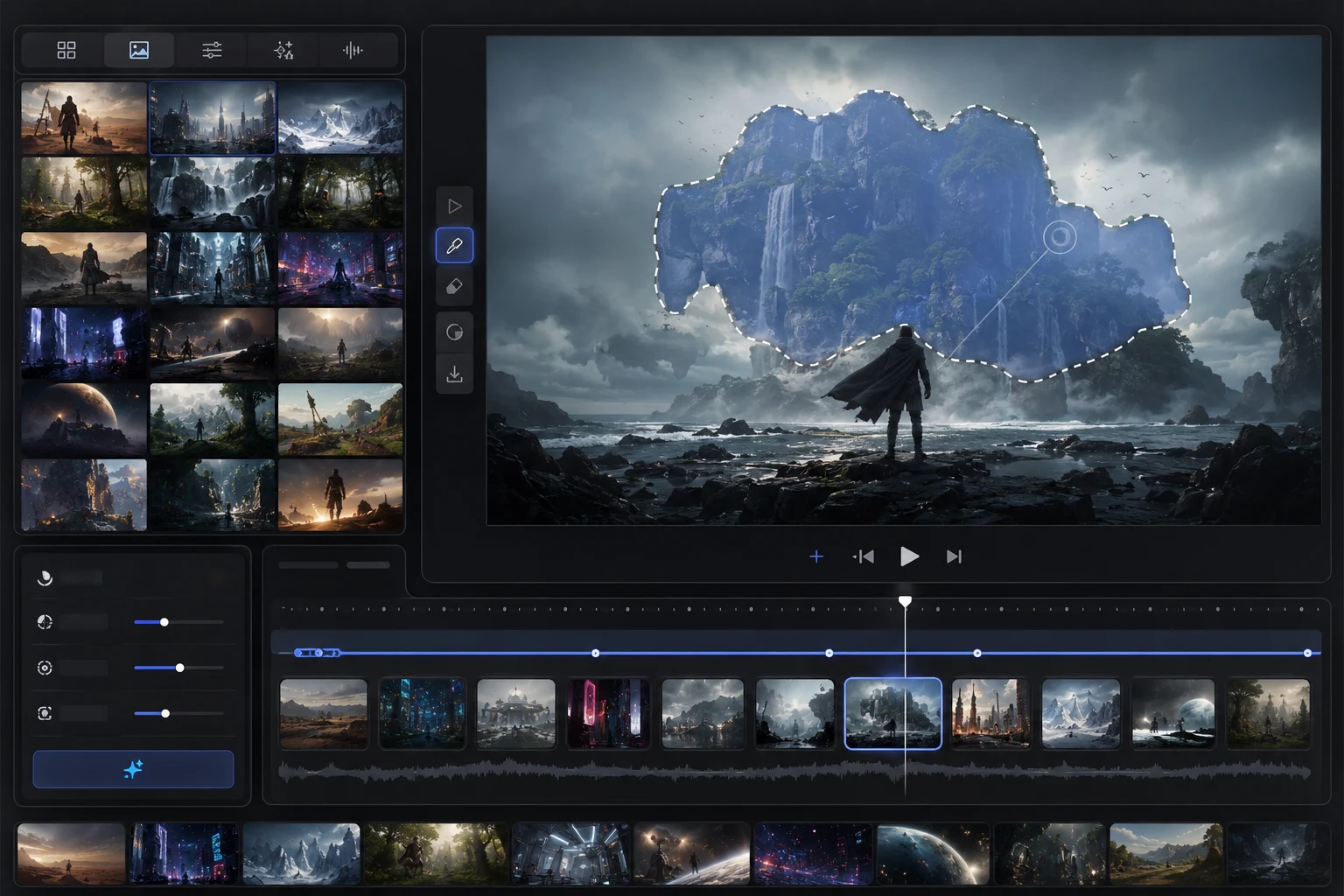
Seedance 2.5 is special because it moves the Seedance conversation from "can it generate an impressive short clip?" to "can it support a real production workflow?" The public Seedance 2.5 messaging emphasizes 30-second cinematic videos, up to 50 reference images, reference-to-video control, local edits, cleaner multilingual output, and even beta long-form creation up to 180 seconds. For creators coming from Seedance 2.0, the biggest upgrade is not one single feature - it is more room to plan, preserve, revise, and finish a usable video.
Last updated: July 2, 2026 - about 14 min read
Search interest around Seedance 2.0 is already broad: people look for "seedance 2.0," "seedance 2.0 free," "seedance 2.0 api," "seedance 2.0 prompts," and "seedance 2.0 video generator." That search pattern tells us what creators care about before they try a new model: access, workflow, prompts, and practical output quality.
Seedance 2.5 should be explained through that lens. The question is not just "is it newer than 2.0?" The useful question is:
What new creative jobs become easier because Seedance 2.5 can handle longer scenes, more references, and more revision?
Seedance 2.5 is best understood as a workflow upgrade: longer clips, more references, more control, and more usable revision.
The short version: what is special about Seedance 2.5?
| Seedance 2.5 feature | Why it matters | Practical use case |
|---|---|---|
| 30-second cinematic video | Lets one render carry a full social ad, concept scene, or story beat | Product demo, fashion clip, short narrative |
| Up to 50 reference images | Gives the model more anchors for character, product, style, setting, and brand consistency | Campaigns with many assets or a consistent character |
| Reference-to-video workflow | Lets creators steer the result with images, not only text | Product shots, character scenes, storyboards |
| Local edits | Makes revision more practical because you can fix a region instead of restarting | Fix a face, hand, object, background, or logo-adjacent area |
| Multimodal input direction | Builds on the Seedance 2.0 direction of text, image, audio, and video control | More complete creative briefs |
| Beta long-form mode up to 180 seconds | Signals a shift from tiny clips toward longer sequences | Explainers, long social posts, multi-beat demos |
| Cleaner multilingual output | Useful for global social content and title/card generation | Localized campaigns and captions |
This is why a good Seedance 2.5 title should not only say "AI video generator." It should surface the distinct reasons people would search for it: 30s videos, 50 references, reference-to-video, local edits, and how it compares with Seedance 2.0.
Seedance 2.0 set the baseline
Before explaining Seedance 2.5, it helps to understand what Seedance 2.0 already promised.
ByteDance's Seedance 2.0 materials positioned the model around unified multimodal audio-video generation. The official 2.0 page describes support for text, image, audio, and video inputs, with emphasis on motion stability, controllable camera work, and audio-video joint generation. ByteDance's Chinese launch blog for 2.0 also described richer input combinations: text plus multiple images, videos, and audio references, with high-quality multi-shot audio-video generation.
In plain creator terms, Seedance 2.0 made these workflows more visible:
- Text-to-video for starting from a prompt.
- Image-to-video for animating a still.
- Reference-guided generation for identity, product, scene, or style consistency.
- Audio-video direction for clips that feel more complete than silent visual demos.
- Better motion stability and camera control compared with older short-video systems.
That is why Seedance 2.0 attracted searches around prompts, API, free access, and generator workflows. It was not just a single model name; it became a shorthand for ByteDance's more controllable AI video direction.
Seedance 2.5 vs Seedance 2.0: the practical difference
Seedance 2.5 should be framed as the production-control layer on top of the 2.0 baseline.
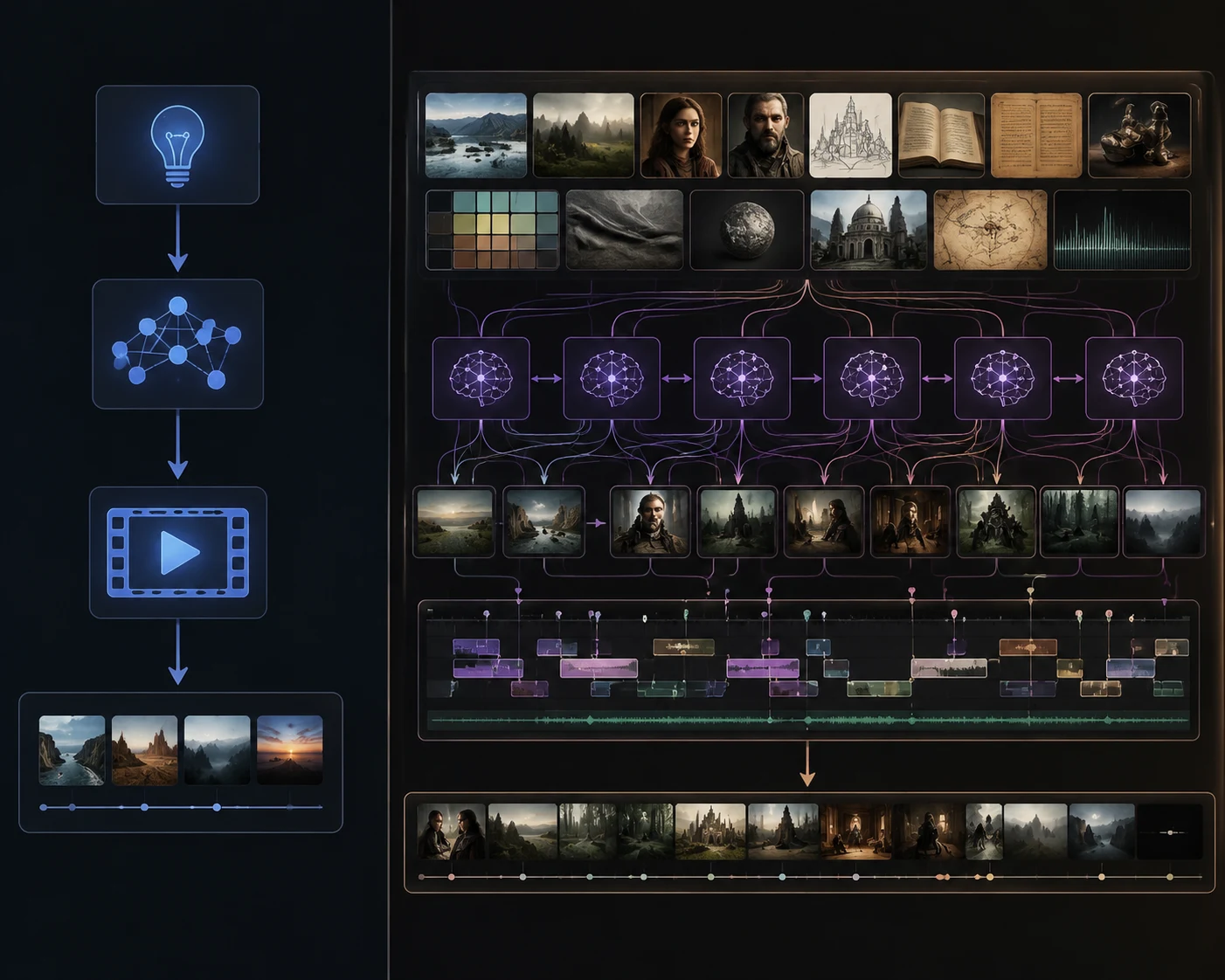
| Area | Seedance 2.0 baseline | Seedance 2.5 direction | Why creators should care |
|---|---|---|---|
| Clip length | Strong short multi-shot AI video direction | Public 2.5 messaging highlights 30-second cinematic videos | More complete social clips without stitching as many fragments |
| References | Multimodal input direction, including image/video/audio references in 2.0 materials | Up to 50 references highlighted for 2.5 | Easier to preserve character, product, style, and environment across a campaign |
| Revision | Earlier workflows often required rerendering the whole clip | Local edits are part of the 2.5 pitch | Fix only the failed area instead of throwing away the full render |
| Prompt strategy | Prompt plus multimodal references | Prompt plus larger reference stack and edit loop | Better for art direction, not just one-off generation |
| Output role | Impressive demos and usable short scenes | Longer, more planned production pieces | More practical for ads, social content, explainers, and concept tests |
| Long-form signal | Short-form model focus | Beta long-video mode up to 180 seconds is promoted on the 2.5 page | Suggests a roadmap toward longer AI video workflows |
The key shift is from generation to production.
Generation asks: can the model create a good clip?
Production asks:
- Can I keep the same character?
- Can I keep the same product?
- Can I use multiple references?
- Can I fix the one bad part?
- Can I make a whole 30-second scene?
- Can I get an ending that works for publishing?
Seedance 2.5 is special because it answers more of those production questions.
When Seedance 2.5 is worth using instead of Seedance 2.0
The practical question is not whether Seedance 2.5 sounds newer than Seedance 2.0. The practical question is whether the job needs the extra planning space that Seedance 2.5 is designed to support.
Use Seedance 2.0-style workflows when the clip is simple:
- One clear subject.
- One short motion idea.
- One image-to-video animation.
- A quick test of style, camera, or mood.
- A clip where restarting is cheaper than revising.
Use Seedance 2.5 when the clip has production constraints:
- The product must stay recognizable.
- The same character needs to appear across several clips.
- The clip needs a beginning, middle, and ending.
- You have more than one useful reference image.
- The final frame needs to work for captions, ads, or a social post.
- You expect to repair details instead of rerendering the whole scene.
| Project type | Better fit | Why |
|---|---|---|
| One-off visual test | Seedance 2.0 flow | Faster to prompt and rerender |
| Product ad with packaging | Seedance 2.5 | References and local edits protect product consistency |
| Character mini campaign | Seedance 2.5 | Multiple references help preserve identity and wardrobe |
| Simple first-frame motion | Seedance 2.0 flow | A short image-to-video prompt may be enough |
| 30-second social scene | Seedance 2.5 | Beat mapping matters more as the clip gets longer |
| Draft mood exploration | Either | Pick based on whether references are important |
That distinction also explains why searchers comparing Seedance 2.5 vs Seedance 2.0 should look beyond benchmark language. A creator deciding between Seedance 2.5 vs Seedance 2.0 usually wants to know what changes in the actual workflow: how many references can be organized, how long the scene can run, whether a bad hand or product edge can be fixed, and whether the result can survive a real publishing pass.
If the answer is "I just need a quick visual idea," the older Seedance 2.0 mental model may be enough. If the answer is "I need a clip I can direct, review, repair, and publish," Seedance 2.5 becomes more interesting.
A simple decision rule is this: use Seedance 2.5 when a failed render would cost more than a little planning. If the product shape, character identity, reference stack, or final frame must survive several rounds of review, the extra structure is useful. If the clip is only a mood test, keep the prompt shorter and save the heavier Seedance 2.5 workflow for the version you actually plan to publish.
Feature 1: 30-second cinematic videos
A 30-second AI video is not just a longer version of a 5-second video. It changes the way you need to plan.
A 5-second clip can survive as one visual idea:
- A product rotates.
- A portrait smiles.
- A camera pushes in.
- A landscape reveals mist.
A 30-second clip needs structure:
| Time | Job | What to prompt |
|---|---|---|
| 0-3s | Hook | The subject appears clearly; no slow setup |
| 3-8s | Establish | Scene, product, character, or goal becomes readable |
| 8-15s | Motion | Camera or subject movement develops the idea |
| 15-22s | Detail | Show the product feature, emotion, environment, or transformation |
| 22-27s | Payoff | Reveal, final action, or strongest visual moment |
| 27-30s | Hold | Clean end frame for caption, CTA, cut, or loop |
If you prompt a 30-second clip as one giant sentence, the model may drift. Treat it like a tiny storyboard.
Example 30-second prompt structure:
Create a 30-second vertical cinematic product video. 0-3s: start on a close hero shot of the uploaded bottle on a clean stone surface. 3-8s: slow dolly push-in as morning light moves across the glass. 8-15s: reveal water droplets and soft mist behind the bottle. 15-22s: camera shifts slightly to show the label and cap detail, keeping the bottle shape stable. 22-27s: final premium hero reveal. 27-30s: hold a clean centered frame for text overlay.
This is where Seedance 2.5's 30-second positioning becomes meaningful. The feature is not "longer for the sake of longer." It lets the prompt carry a full beginning, middle, and ending.
Feature 2: up to 50 references
The 50-reference headline matters because one reference is rarely enough for real production.
One reference can anchor:
- A face.
- A product.
- A style.
- A first frame.
But a campaign might need:
- Character face.
- Character outfit.
- Product front.
- Product side.
- Product packaging.
- Environment style.
- Color palette.
- Camera mood.
- Lighting reference.
- End-frame composition.
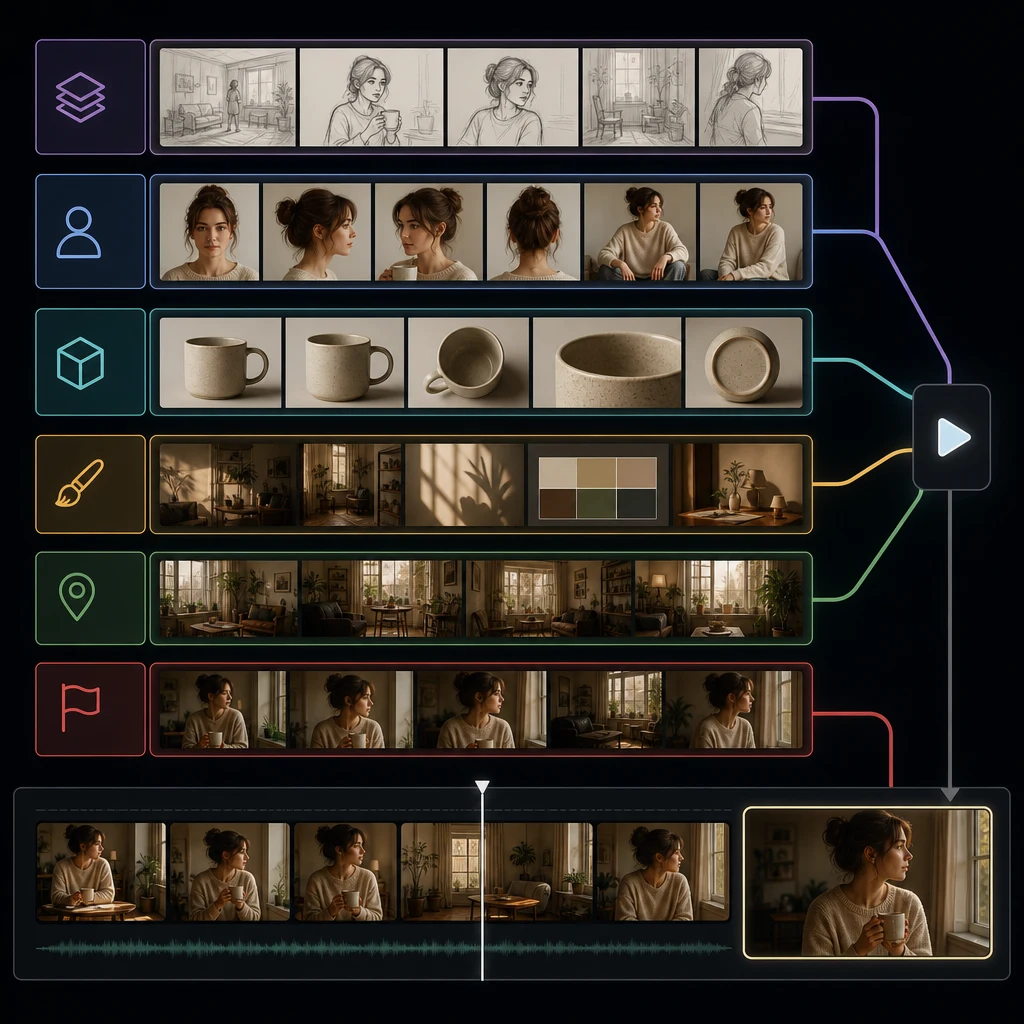
The trick is not to upload 50 images just because the limit exists. The trick is to organize references by job.
| Reference type | What it controls | Good example | Bad example |
|---|---|---|---|
| Identity reference | Face, character, consistent person | Clear portrait with neutral expression | Blurry group photo |
| Product reference | Product shape, material, label area | Clean front and side product shots | Cropped product with glare |
| Style reference | Lighting, color, mood | Campaign moodboard with consistent tone | Random screenshots with mixed styles |
| Scene reference | Location, background, set design | One clear environment frame | Busy collage with conflicting settings |
| Motion reference | Action or movement quality | Short clip or still sequence showing motion direction | Unrelated action that changes the subject |
| End-frame reference | Final composition | Clean hero frame or storyboard panel | Different subject or different product |
If you use references well, you reduce the burden on the text prompt. The prompt can direct action while references preserve assets.
Feature 3: reference-to-video is a workflow, not a gimmick
Reference-to-video, sometimes shortened as R2V, is easy to misunderstand. It does not mean "upload random inspiration and get magic." It means the model can be guided by visual material.
Good R2V use cases:
- A founder wants a consistent avatar across several clips.
- A brand wants a real product to stay recognizable.
- A creator has a storyboard frame and wants controlled motion.
- A marketer wants the same color palette across ads.
- A filmmaker wants to test camera movement with the same character.
Bad R2V use cases:
- Uploading many contradictory images.
- Mixing different characters and expecting one stable identity.
- Using copyrighted or unlicensed references you do not have rights to use.
- Asking the video to preserve tiny text while rotating the object.
- Uploading low-quality references and expecting high-quality consistency.
The best R2V prompt usually starts with preservation:
Use the uploaded references to preserve the character identity, outfit color palette, product shape, and soft studio lighting. Generate a 30-second vertical clip...
Then it describes motion:
The character walks slowly toward the product display, camera makes a smooth dolly push-in, background remains calm...
Then it defines the ending:
End on a clean hero frame with the product centered and the character slightly behind it.
Feature 4: local edits reduce wasted renders
Local editing is one of the most practical Seedance 2.5 ideas because AI video often fails in one specific place:
- A hand warps.
- A face drifts.
- A logo-like area becomes muddy.
- A background object appears.
- A sleeve changes shape.
- A product cap melts.
- A final frame is almost perfect but has one bad detail.
Without local editing, you often have to rerender the whole video. That means the good parts may change too.
With local edits, the workflow becomes:
- Generate the full clip.
- Review the clip by region: face, hands, product, background, text/caption space, final frame.
- Select the problem area.
- Prompt the fix narrowly.
- Keep the rest of the clip stable.
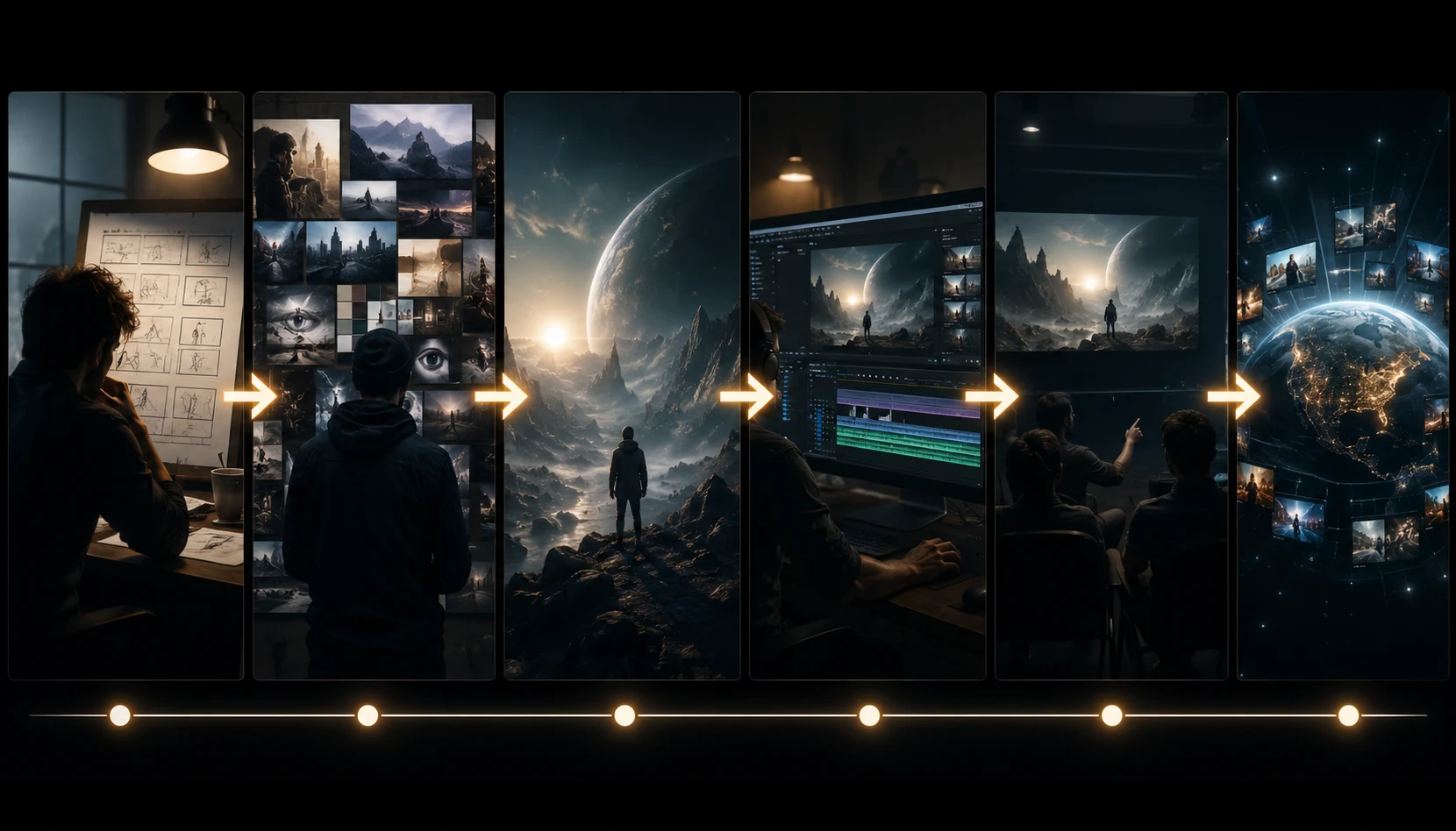
Example local edit prompt:
Fix only the subject's right hand in frames where it touches the jacket. Keep the face, body pose, jacket color, background, and camera motion unchanged. The hand should look natural with five fingers and relaxed posture.
That is much more production-friendly than rerolling an entire 30-second clip.
Feature 5: cleaner multilingual and commercial output
Public Seedance 2.5 messaging also emphasizes cleaner output and multilingual capabilities. For creators, this matters in three ways:
- Global campaigns: one concept may need versions for different regions.
- On-screen layout: cleaner titles and visual structure reduce post-production cleanup.
- Prompting across languages: creators do not all prompt in English.
You should still be cautious with generated text inside video. Even when a model improves, small text, logos, legal copy, and product labels can be fragile. For commercial content, keep important copy in your editor when possible.
Use Seedance 2.5 for:
- Visual concept.
- Motion.
- Character or product scene.
- Background.
- Mood.
- Shot structure.
Use your editor for:
- Final captions.
- Legal copy.
- Price.
- Promo code.
- Brand lockup.
- Fine typography.
What Seedance 2.5 is best for
| Use case | Why 2.5 helps | Suggested workflow |
|---|---|---|
| Product social ad | 30s structure + product references + local fixes | Upload product refs, plan beats, local edit label/hand issues |
| Character campaign | Many references support identity and style | Upload portrait, outfit, scene, palette, and end-frame refs |
| Fashion preview | Longer motion plus reference consistency | Use outfit refs, prompt walking/turning carefully |
| Music or performance concept | Longer clip supports a full moment | Use beat map, clear camera, and controlled motion |
| Explainer visual | 30s is enough for a simple concept arc | Prompt as sections, add captions later |
| Cinematic storyboard | Reference stack plus camera control | Use storyboard frames and write shot-by-shot timing |
| Localized social content | Multilingual direction and reusable structure | Generate visuals, localize captions in editing |
What Seedance 2.5 is not automatically good at
No model upgrade removes the need for judgment.
Be careful with:
- Tiny readable text.
- Exact brand logos.
- Complex hand actions.
- Full 360-degree product rotations from one flat image.
- Long multi-character dialogue.
- Fast camera movement on faces.
- Conflicting references.
- Prompts that ask for a whole film in one render.
If a clip matters commercially, treat AI video as a production draft that needs review, editing, and rights checks.
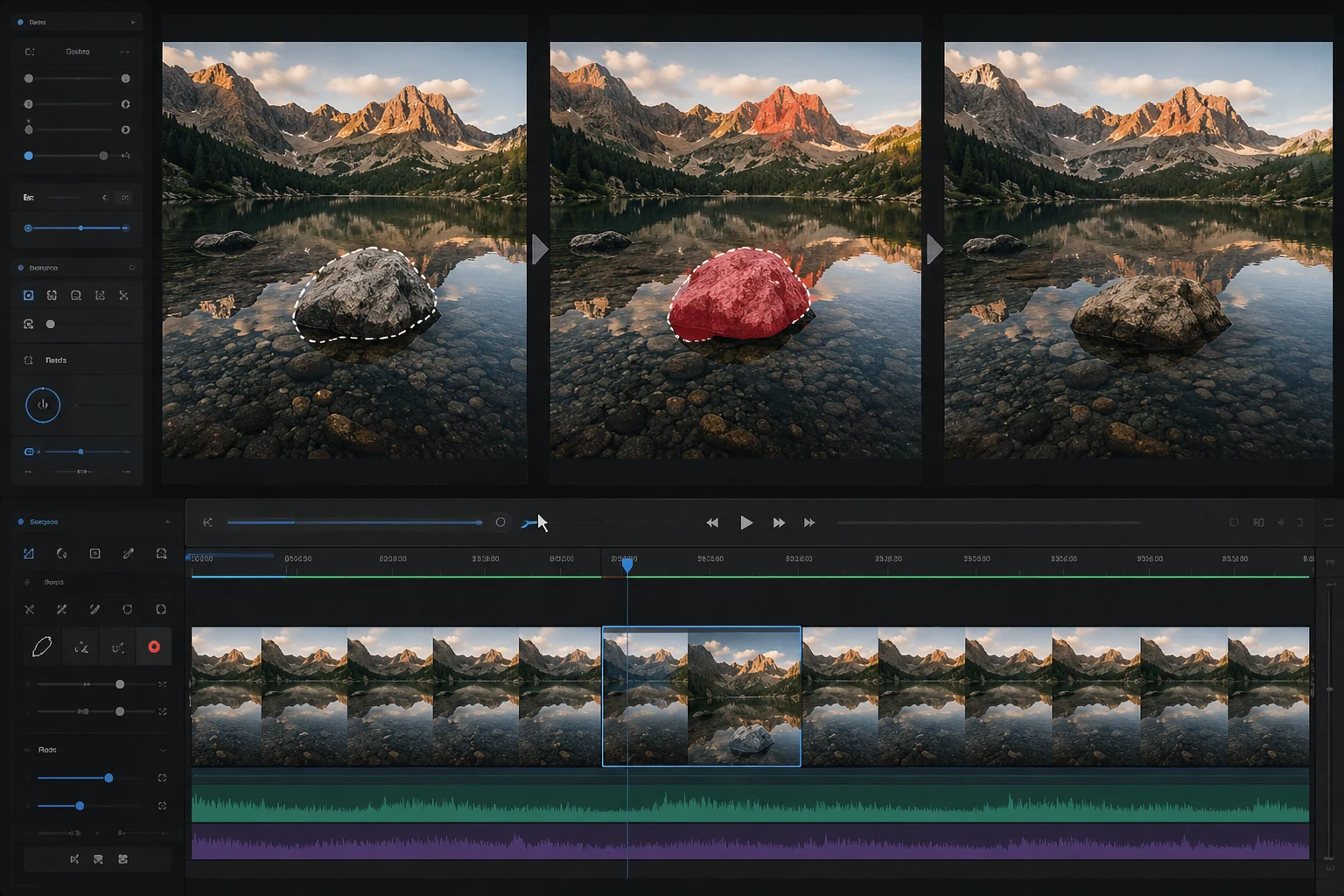
Local edits matter because they turn a promising render into a repairable asset instead of forcing a full restart.
A better Seedance 2.5 prompt structure
Use this for longer, reference-heavy clips:
Use the uploaded references to preserve [identity/product/style/scene]. Create a [duration] [format] video for [platform/use case]. Beat 1: [hook]. Beat 2: [motion]. Beat 3: [detail]. Beat 4: [payoff]. Camera: [one main camera plan]. Keep [protected details] stable. End on [final frame]. Avoid [common failure].
Example:
Use the uploaded references to preserve the skincare bottle shape, warm stone bathroom set, and soft beige campaign lighting. Create a 30-second vertical product video for Instagram Reels. Beat 1: close hero shot of the bottle with morning light. Beat 2: slow dolly push-in as mist moves behind the product. Beat 3: reveal water droplets and cap detail. Beat 4: final centered hero frame with clean space above for caption. Camera: smooth slow push-in only. Keep label area, cap, glass shape, and background stable. Avoid rotating the bottle or changing the label.
This prompt is long, but it is organized. Long is fine when structure is clear.
How to choose a Seedance 2.5 article title
Because Seedance 2.0 searches cluster around free access, API, prompts, and generator intent, a Seedance 2.5 article title should answer a real searcher question instead of only announcing the model.
Weak titles:
- "Seedance 2.5 Is Here"
- "New AI Video Model"
- "Seedance 2.5 Review"
Better titles:
- "What's Special About Seedance 2.5?"
- "Seedance 2.5 vs Seedance 2.0"
- "Seedance 2.5 Prompt Examples"
- "Seedance 2.5 30-Second Video Guide"
- "Seedance 2.5 Reference-to-Video Workflow"
The title of this article intentionally combines discovery and differentiation: What's Special About Seedance 2.5? 30s Videos, 50 References, and the Seedance 2.0 Upgrade.
It tells the reader:
- This is about Seedance 2.5.
- It answers a comparison question.
- It names the distinct features.
- It connects to known 2.0 demand.
Frequently asked questions
What is special about Seedance 2.5?
Seedance 2.5 is special because it emphasizes longer 30-second cinematic clips, up to 50 references, reference-to-video control, local edits, cleaner multilingual output, and a more production-oriented workflow than simple short demo generation.
Is Seedance 2.5 better than Seedance 2.0?
Seedance 2.5 should be understood as a workflow upgrade over the Seedance 2.0 direction. Seedance 2.0 established multimodal video generation and strong motion control; Seedance 2.5 adds a stronger emphasis on longer clips, larger reference stacks, and revision workflows.
What does up to 50 references mean in Seedance 2.5?
It means creators can guide the model with many visual anchors, such as character, product, scene, style, lighting, and ending references. More references only help when they are organized and consistent.
Can Seedance 2.5 make 30-second videos?
Public Seedance 2.5 messaging highlights 30-second cinematic videos. To use that well, plan the clip as beats: hook, setup, motion, detail, payoff, and final hold.
Should I use Seedance 2.5 for product ads?
Yes, product ads are a strong fit when you have clean product references, a clear 30-second structure, and a local-edit review loop for details like hands, label areas, product shape, and final frames.
Related guides
- Seedance 2.5 AI video generator
- Seedance 2.5 vs ByteDance Seedance
- Seedance 2.5 image-to-video
- Seedance 2.5 text-to-video
- Seedance 2.5 prompt examples
- Seedance 2.5 AI video generator guide
Sources checked
- Dreamina / CapCut Seedance 2.5 page
- ByteDance Seedance 2.0 official page
- ByteDance Seedance 2.0 launch blog
The real upgrade is control
The best way to think about Seedance 2.5 is not "new model, better pixels." It is more control per finished clip: longer scene structure, more references, and more targeted revision. Open the Seedance 2.5 AI video generator, plan a 30-second beat map, upload only useful references, and use local edits to preserve the parts that already worked.