
AI Food Video Generator Prompts for Restaurants and Creators
Use an AI food video generator prompt workflow to turn food photos into short clips with steam, sauce, camera movement, lighting, and clean final frames.
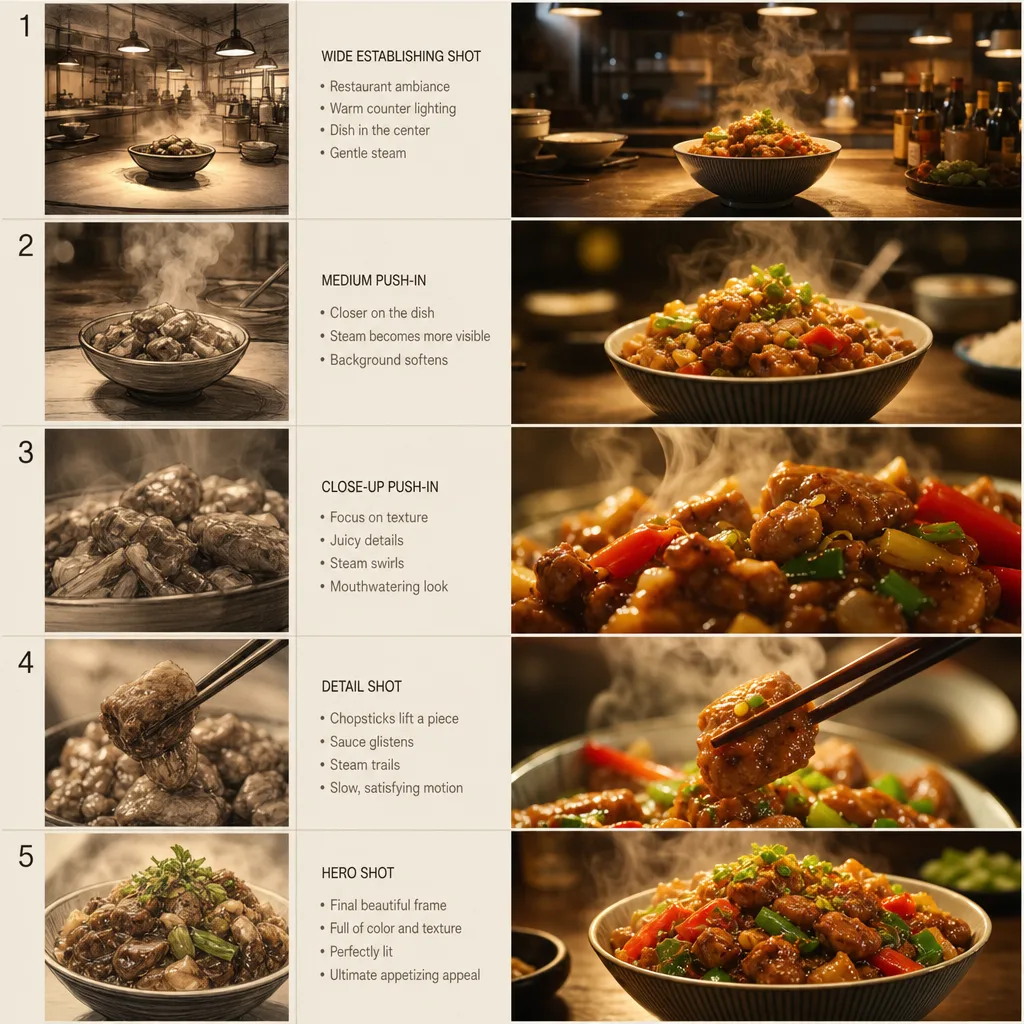
Seedance 2.5 food video prompts work best when the motion is small, physical, and appetizing. An AI food video generator should make a dish feel fresh, not fictional. A restaurant dish does not need a complicated story. It usually needs steam, a slow camera push, a light sweep, sauce movement, or a clean final frame that makes the food look fresh. Use the Seedance 2.5 AI video generator to test those movements before building a full social post.
Last updated: July 9, 2026 - about 8 min read
Food clips fail when the prompt asks for too much: cooking, serving, eating, text overlays, camera orbit, flying ingredients, new hands, a new table, and a perfect logo at the same time. That can turn a good dish into an unstable render.
Start with one food subject and one motion.
The safest AI video prompt is specific about the dish, the motion, the camera, and the final frame. If any of those parts are vague, the generator has to invent details that may make the food look fake.
Quick answer
Use this Seedance 2.5 food video prompt formula:
Use the uploaded food photo as the first frame. Create a short vertical food video. Main motion: [steam, drizzle, light sweep, camera push, garnish movement]. Camera: [one move]. Keep [dish shape, plate, table, background, color, texture] stable. Avoid [extra hands, extra dishes, readable text, warped food, changing ingredients]. End on [clean appetizing final frame].
Example:
Use the uploaded ramen photo as the first frame. Create a short vertical food video. Steam rises slowly from the bowl while warm light moves across the broth. Camera gently pushes in from table level. Keep the bowl, noodles, chopsticks, counter, and background stable. Avoid extra hands, readable signs, changing ingredients, or warped noodles. End on a close appetizing frame.
That prompt works because every sentence protects the dish.
You can reuse the same AI video prompt structure for different menu items. Change the subject and motion, but keep the stability instructions in place.
What makes food motion believable
Food video does not need big motion. It needs motion viewers already expect.
| Food type | Better motion | Risky motion |
|---|---|---|
| Soup or ramen | Steam, gentle push-in, warm light | Fork lifting noodles if the photo has no hand |
| Coffee or tea | Steam, reflection, slow cup push | Splashing liquid from nowhere |
| Burger or sandwich | Soft light sweep, subtle camera move | Ingredients flying apart |
| Dessert | Sauce drizzle, sparkle, plate turn | New toppings appearing |
| Pizza | Cheese pull only if a slice is already separated | Invented hands and extra slices |
| Cocktail | Ice glint, condensation, slow pan | Text labels or logo recreation |
The more the prompt changes the food, the more likely the result becomes fake. For restaurant content, believable beats dramatic.
When you test the workflow, compare small-motion prompts before trying complex scenes. A controlled AI video prompt usually beats a flashy one because the dish still looks edible at the end.
Use a strong reference image
Food image-to-video depends heavily on the first frame. A strong photo gives Seedance more to preserve.
Good inputs have:
- One clear dish.
- Visible texture.
- Clean plate or container edge.
- Stable lighting.
- Minimal clutter.
- Background that can tolerate slight movement.
- No tiny menu text that must remain readable.
Avoid photos with heavy filters, half-eaten food, messy table reflections, or many dishes overlapping. If you need a group table shot, make each clip about one dish first, then edit clips together later.
Prompt 1: steam and slow push-in
Use this for ramen, soup, coffee, tea, curry, dumplings, and warm plated food.
Use the uploaded image as the first frame. Create a short vertical food video. Steam rises slowly and naturally from the dish. Camera gently pushes in from a table-level angle. Keep dish shape, plate, ingredients, table, and background stable. Avoid extra hands, changing ingredients, unreadable text, or sudden scene changes. End on a steady close appetizing frame.
This is the safest first test because steam and camera movement add life without changing the dish.
Prompt 2: sauce or garnish motion
Use this only when the still image already supports it. A drizzle prompt works better if sauce, glaze, or garnish is visible.
Create a short food video from the uploaded photo. A glossy sauce catches the light and moves slightly across the surface while small garnish pieces shift gently. Camera holds mostly still with a subtle push-in. Keep the dish, plate, table, colors, and ingredient layout stable. Avoid adding hands, extra utensils, new toppings, or readable text. End on a clean hero frame.
If the model invents too much sauce, switch back to a light sweep.
This is a good place to save your best AI video prompt as a reusable restaurant template. The wording can stay the same while the dish photo changes.
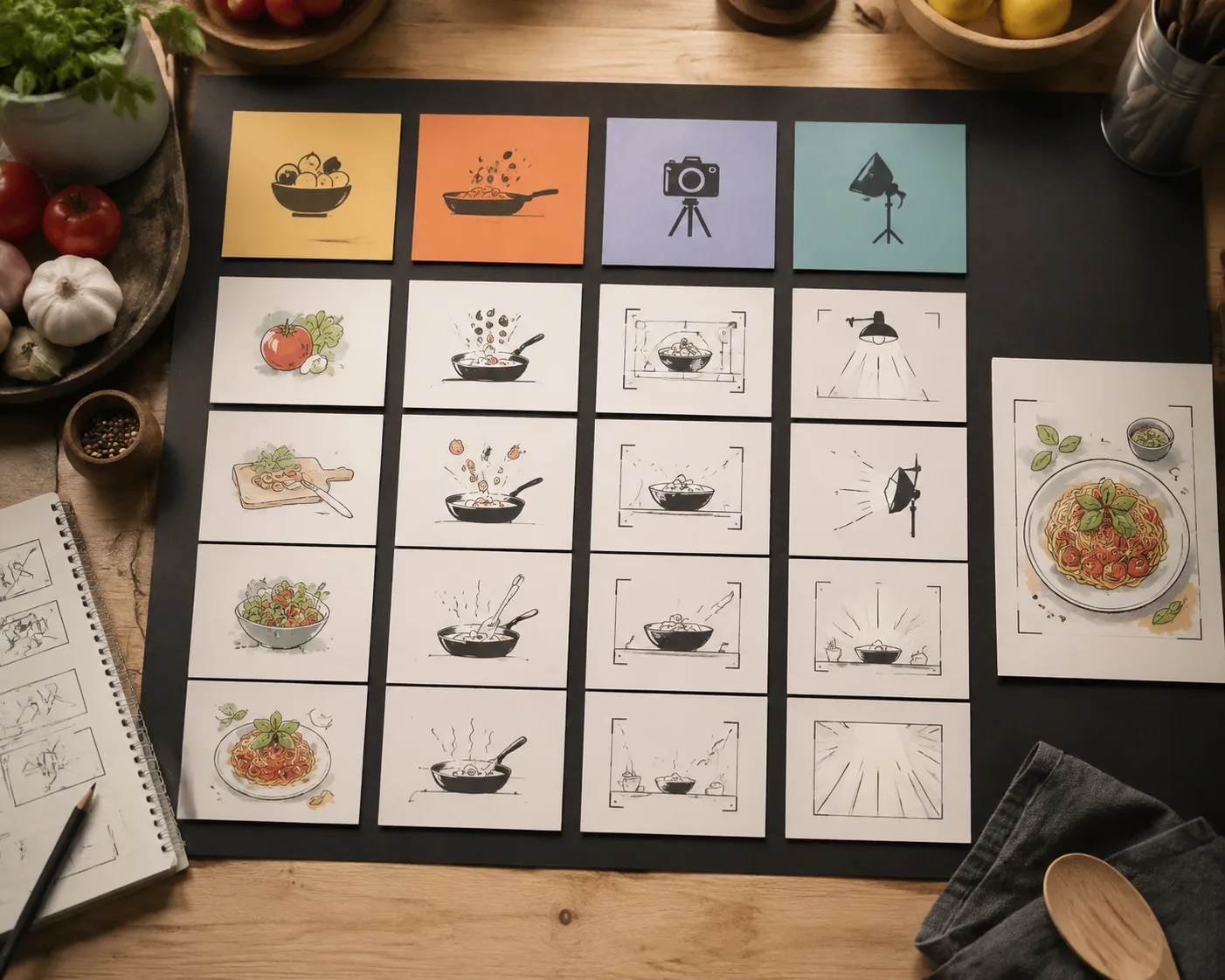
Separate subject, motion, camera, lighting, and final frame before you render.
Prompt 3: restaurant product clip
Use this for menu items, delivery ads, and short restaurant promos.
Use the uploaded product-style food photo as the first frame. Create a short vertical restaurant promo clip. Motion: warm light sweeps across the dish and steam rises gently. Camera slowly pushes in. Keep the food, packaging, table, and background stable. Avoid new logos, changing labels, extra hands, or distorted packaging. End on a centered dish frame suitable for a social ad.
If the package has small text, do not ask the AI to preserve it exactly. Add text and menu details after the video is rendered.
For delivery ads, the video generator should handle motion only. Add prices, menu names, and offers later so the final post stays readable.
Prompt 4: overhead food post
Use this when the source photo is a flat lay.
Create a short overhead food video from the uploaded image. Camera makes a very slow top-down drift while soft light moves across the table. Keep all plates, utensils, napkins, and food positions stable. Avoid adding hands, extra plates, readable text, or changing the layout. End on the same overhead composition with slightly warmer light.
Top-down clips are useful for carousels and menu posts because they are easier to crop.
Quality checks
Watch the full video, not just the best second.
Check:
- Did the dish keep its shape?
- Did ingredients stay the same?
- Did steam or sauce look natural?
- Did the plate edge warp?
- Did the background change too much?
- Is the final frame usable?
- Would this still look good with a caption added later?
If the food changes, reduce motion. If the clip feels dead, add a gentle camera move before adding new objects.
How to use food clips in a content workflow
One good food photo can become several short posts:
- Steam version for a warm dish.
- Light-sweep version for a product hero.
- Overhead drift for a menu carousel.
- Close push-in for an Instagram Reel.
- Cropped vertical version for TikTok or Shorts.
Use the Seedance cinematic prompts guide when you want a more film-like mood. Use the Seedance product video workflow when the dish is packaged or sold like a product.
Final advice
Food video prompts should be honest. Make the dish look fresh, not fictional. If a prompt makes the food change shape, the viewer notices quickly. Start with small motion, protect the ingredients, and end on a clean frame.
One strong AI video prompt is easier to improve than five overloaded prompts. Keep the first version simple, then add motion only when the food remains stable.
FAQ
Can Seedance 2.5 make food videos from one photo?
It can help turn a food photo into a short motion clip when the photo is clear and the prompt asks for simple movement such as steam, light, or a slow camera push.
Should I add menu text inside the AI video?
Usually no. Render the food motion first, then add menu names, prices, captions, and disclaimers in an editor where text stays clean.
What is the safest food video prompt?
Steam plus a slow push-in is the safest first test for warm food. It adds life without changing the dish too much.
For restaurant clips, that simple steam prompt is often the best baseline before testing sauce, garnish, or camera movement.