
Seedance 2.5 for Product Videos: From Photo to Motion Ad
Turn product photos into short motion ads with Seedance 2.5. Learn reference image setup, AI product video prompts, and shot planning.
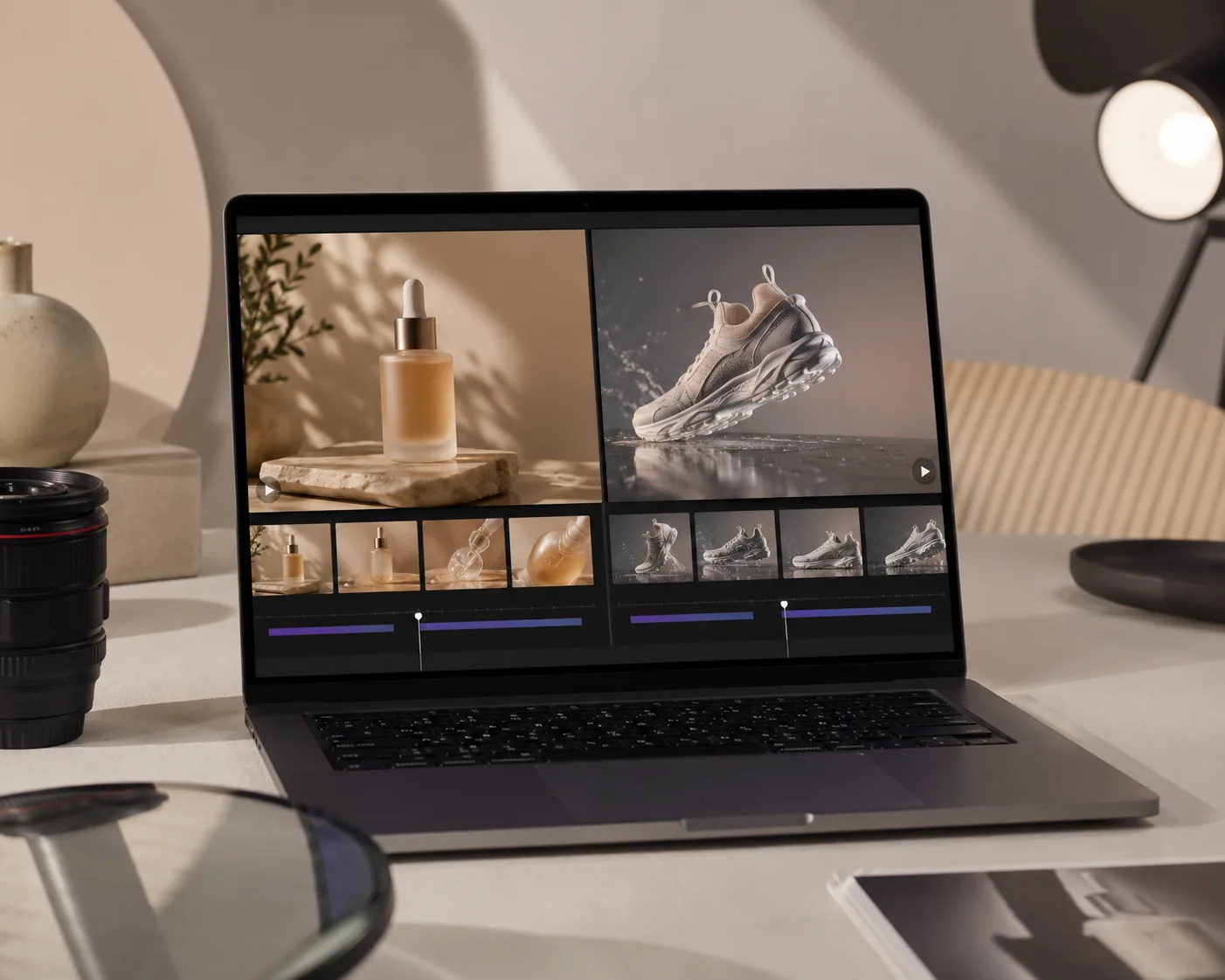
Seedance 2.5 can turn a product photo into a short motion ad when you give it a clean reference image and one controlled movement. Treat it like an AI product video generator, not a magic ad director: the still photo sets the product, and the prompt sets the motion.
Last updated: July 6, 2026 - about 7 min read
The best product videos are usually simple. A bottle catches light, a sneaker rotates slightly, fabric moves, steam rises, the camera pushes in. If you ask for a whole commercial in one render, the product is more likely to bend, blur, or change shape.
When to use Seedance 2.5 for product video
Use Seedance 2.5 when the product already exists as a strong photo and you need motion for ads, landing pages, or social posts.
Good fits:
- Beauty bottles and skincare jars
- Shoes and apparel details
- Food and drink hero shots
- Tech accessories
- Handmade products
- Marketplace product teasers
Risky fits:
- Products covered in tiny unreadable text
- Complex mechanical parts that must be exact
- Packaging with legal copy or strict label accuracy
- Reflective products shot in messy rooms
If the product shape or label must be legally exact, keep the motion subtle and review every frame.
Build the product reference image first
The reference image is the product anchor. Before opening the AI video generator, make the still frame easy to animate.
Checklist:
- Product is sharp and large in the frame
- Label shape is visible, but not dependent on tiny text
- Background is clean
- Lighting direction is clear
- Product edges are not cropped
- There is space for a push-in, mist, pour, or rotation
For product photo to video, a plain hero shot usually beats a busy lifestyle photo. You can add atmosphere in the prompt after the product is stable.
Prompt one shot, not the whole ad
An AI product video generator works best when each clip has one job.
Use this formula:
Keep the uploaded product shape, color, label placement, lighting, and composition stable. Animate [one product motion or scene motion]. Add [one camera move]. Keep [protected details] unchanged. End on [final hero frame].
Examples:
| Product | Prompt direction |
|---|---|
| Skincare bottle | Slow push-in, soft mist drifting behind it, highlights moving across glass |
| Sneaker | Gentle turntable rotation, light sweep across fabric and sole |
| Coffee bag | Steam rising from cup beside bag, camera locked |
| Jewelry | Slow macro push, tiny sparkle, product stays centered |
| Hoodie | Fabric moves slightly in a breeze, model pose stays still |
The word "stable" matters. It tells the model that the product identity is not up for remixing.
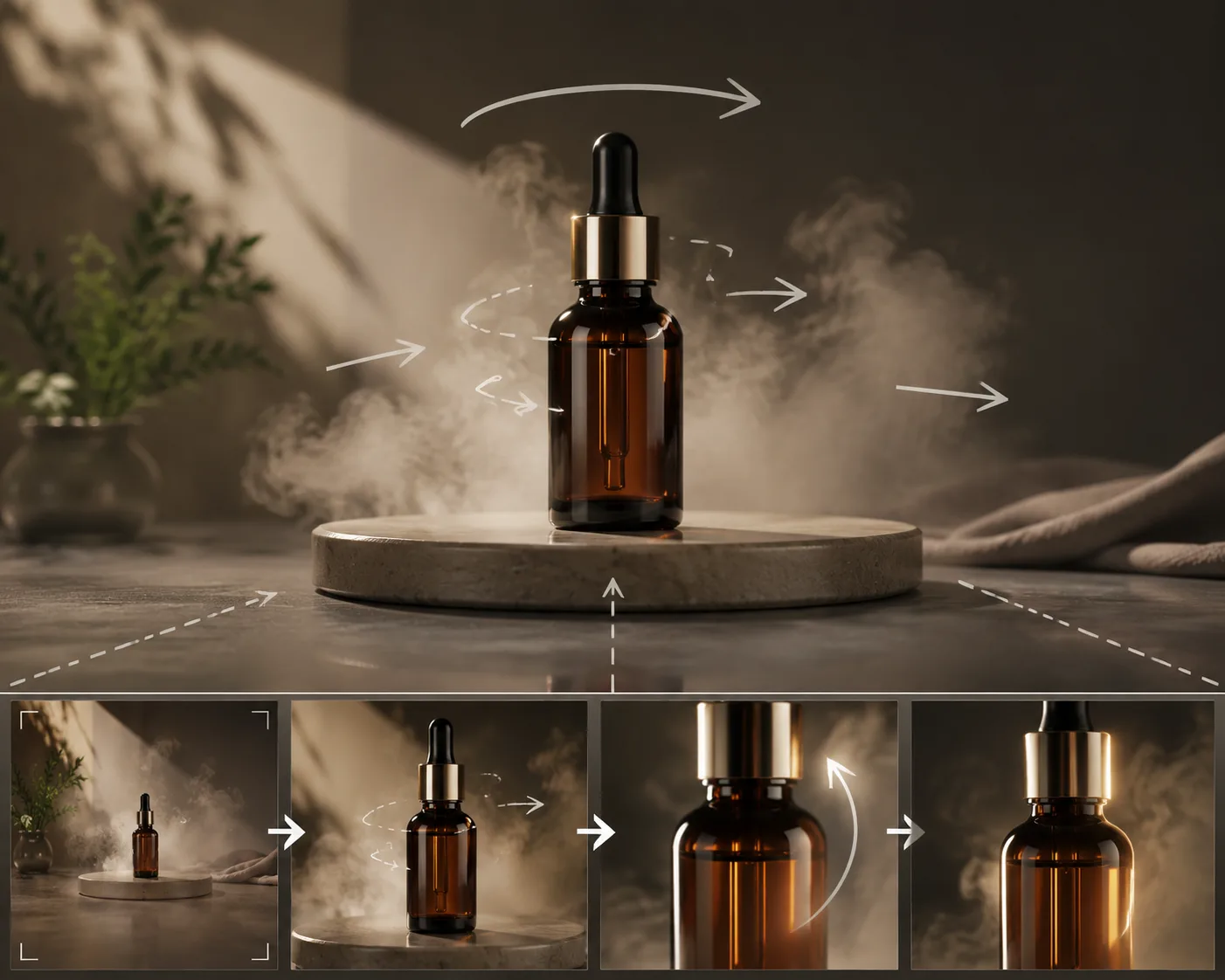
Plan one motion beat per clip. Stitch the best clips into the final ad.
A practical 4-shot product ad structure
Do not try to generate the full ad as one long video. Build it from short shots.
- Hero reveal. Product centered, slow camera push-in.
- Texture or detail shot. Close-up of material, cap, sole, fabric, or surface.
- Use moment. Steam, pour, light sweep, hand reaching near the product, or product in context.
- Final pack shot. Product clean and centered for the last frame.
Each clip can be 4 to 6 seconds. Four clean short clips are more useful than one unstable 20-second clip.
Prompt examples for Seedance 2.5 product videos
Skincare:
Keep the uploaded skincare bottle centered with the same shape, cap, color, and label placement. Animate a slow camera push-in while soft mist drifts behind the bottle and gentle highlights move across the glass. Keep the bottle and label stable. End on a clean hero frame.
Sneaker:
Keep the uploaded sneaker shape, sole, fabric texture, and color stable. Animate a slow turntable rotation with a soft studio light sweep. Keep the background simple and the shoe centered. End with the sneaker facing three-quarter view.
Food:
Keep the uploaded coffee bag and cup placement stable. Animate steam rising from the cup and a subtle camera drift forward. Keep the bag shape and label area stable. End on the same tabletop composition.
For broader prompt patterns, read Seedance 2.5 prompt examples.
Common product video problems
The product shape changes. Reduce motion and add "keep the product silhouette and edges stable."
The label becomes unreadable. Avoid relying on tiny text. Use a clean label area or crop where the exact copy is less important.
The scene gets too busy. Remove extra props from the reference image and keep the prompt to one camera move.
The product floats. Add grounding words: "product stays on the table, contact shadow remains natural."
The ad feels boring. Add light movement, mist, fabric motion, or camera push-in before adding complex action.
Where Seedance 2.5 fits in the workflow
Use Seedance 2.5 for motion concepts, short ad clips, and fast creative testing. Use a human editor for the final cut, music, captions, brand lockups, legal copy, and platform-specific exports.
A simple workflow:
- Pick the product photo.
- Generate three short Seedance 2.5 variations.
- Choose the most stable product shape.
- Repeat for detail and final pack shots.
- Edit clips into a finished ad.
If you need a product-specific image-to-video workflow, start with Seedance 2.5 image-to-video.
Frequently asked questions
Can Seedance 2.5 make product videos from photos?
Yes. Seedance 2.5 can animate a product photo into a short motion clip when the product is clear and the prompt keeps the shape, color, lighting, and label area stable.
Is Seedance 2.5 an AI product video generator?
It can be used as an AI product video generator for short motion ads, especially when you start from product photos and build the ad from several controlled clips.
What product photos work best?
Use sharp, well-lit photos with a clean background, visible product edges, and enough space for camera movement. Avoid tiny label text and messy reflections when accuracy matters.
How long should each product video clip be?
Start with 4 to 6 seconds. Short clips are easier to keep stable, and you can stitch several shots together for the final ad.
Can I use the result in ads?
Check your plan, source image rights, and brand requirements. For paid ads, review the final frames carefully and add legal text, offer details, and platform-safe captions in a video editor.
Related guides
- Seedance 2.5 AI video generator
- Seedance 2.5 image-to-video
- Seedance 2.5 image-to-video guide
- Seedance 2.5 prompt examples
- Seedance 2.5 video generator
Keep the product stable
The winning product video is usually the one where the product still looks like itself. Start with a clean photo, animate one motion beat in Seedance 2.5, and build the ad from stable short clips.