
Seedance 2.5 API Pricing: How to Estimate Cost Per Clip
Estimate Seedance API cost per usable clip using duration, resolution, provider rate, retries, failures, storage, and review time.
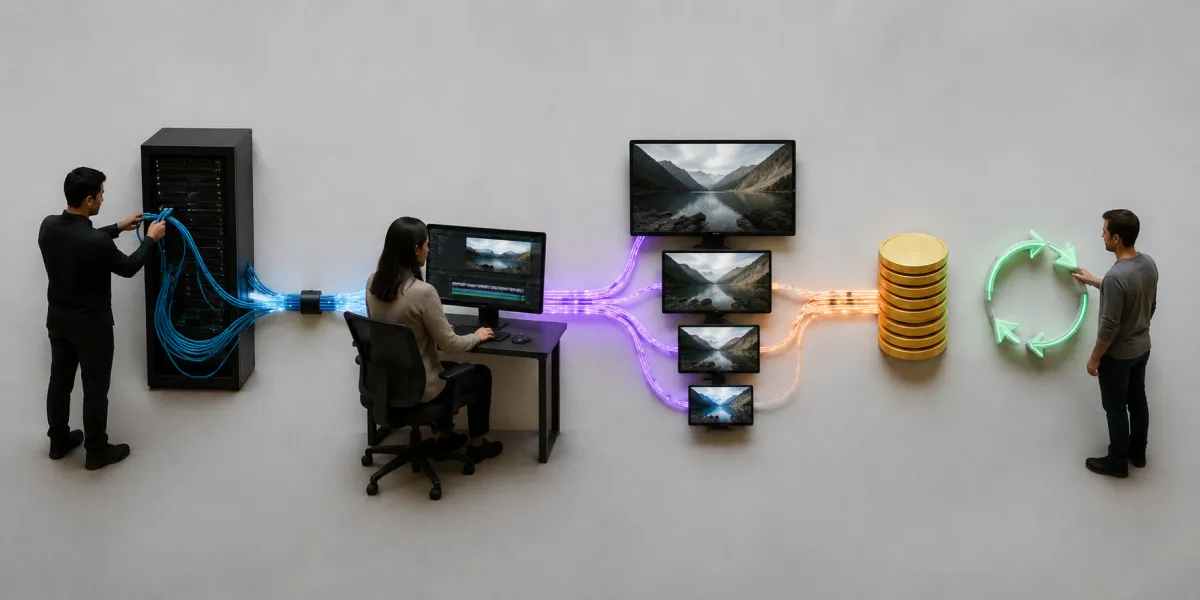
Seedance 2.5 API pricing should be estimated per usable clip, not from one headline rate. Start with the provider's live unit price, add input and output duration, resolution, retries, failed-job policy, storage, and review costs, then divide total spend by the outputs you can actually use. Do not confuse a provider API fee with this site's web credits.
Last updated: August 10, 2026 · ~9 min read
“Seedance 2.5 API pricing” does not currently have a stable model-owner price we can quote permanently. KIE's July explainer said an official price had not been published at that point, while provider listings keep changing. This worksheet remains useful when the numbers move.
First separate three kinds of Seedance API pricing
Search results mix costs that are not interchangeable.
1. Model-owner or official API price
This is the model owner's or official distributor's rate. It may be per second, clip, compute unit, or split by input and output. If none is published, label the field not announced instead of estimating.
2. Third-party provider price
An API aggregator can apply its own credits, markup, discount, minimum, or regional terms. KIE's API getting-started guide directs developers to its live pricing because upstream costs change. That rate is not a universal Seedance price.
3. Web-studio credits
The Seedance 2.5 pricing page lists subscriptions and one-time packs for the browser studio. Those credits include the site's workflow, provider connection, polling, storage, failure handling, and interface. They are not a direct quote for a public API endpoint.
A clean pricing article must say which layer it is quoting. “Seedance costs X” is incomplete unless X names the provider, date, settings, and billing unit.
Seedance API pricing: cost per attempt
Start with one generation attempt. Define:
- B = provider base or per-request fee.
- Rout = output rate per second.
- Dout = requested output seconds.
- Rin = media-input rate per second or per item, when applicable.
- Din = billable input-media seconds or count.
- Mres = resolution or quality multiplier.
- X = other provider charges, such as audio, search, or upscale.
Then:
Cost per attempt = B + (Rout × Dout × Mres) + (Rin × Din) + X
If the provider publishes separate 480p and 720p rates, use those prices. For a flat per-clip charge, replace the per-second term with that amount.
Providers may charge requested duration, delivered output, or reference-video input. Read the billing note, not only the marketing table.
Seedance API pricing: cost per usable clip
One successful API response is not always a clip you can publish. Add the outcome rate.
Define:
- A = number of charged attempts.
- C = cost per attempt.
- F = fees for storage, transfer, upscale, moderation, or post-processing.
- U = number of usable final clips.
Then:
API cost per usable clip = ((A × C) + F) ÷ U
If you make ten attempts and keep four, divide the total by four—not ten. Use this number in the campaign budget.

Conceptual budgeting visual, not a provider invoice: calculate short tests and final renders separately, then divide by usable output.
A hypothetical worked example
The numbers below are deliberately hypothetical. They demonstrate the math and are not current Seedance 2.5 API prices.
Suppose a provider charges an illustrative $0.10 per 720p output second, with no base fee and no input charge for this example. You request a six-second clip:
$0.10 × 6 seconds = $0.60 per attempt
You run four attempts. Three complete, but only two meet the creative brief:
4 attempts × $0.60 = $2.40 total API spend; $2.40 ÷ 2 usable clips = $1.20 per usable clip
Subtract only refunds actually returned. A completed but visually rejected clip is normally billable; creative rejection is not provider failure.
Compare Seedance API pricing providers
Record the same fields for every Seedance API provider you evaluate.
| Field | What to record | Why it matters |
|---|---|---|
| Provider and checked date | Exact name and timestamp | Rates and access change |
| Model ID/version | The literal API model string | Similar names may route to different versions |
| Mode | Text, image, or reference-guided video | Modes can have different pricing |
| Output settings | Duration, resolution, aspect ratio | These often drive the bill |
| Input billing | Images, video seconds, audio, file upload | Reference-heavy jobs may cost more |
| Minimum charge | Per request or minimum duration | Short tests may not scale linearly |
| Failed-job policy | Refund, automatic credit, or no refund | Technical failure changes effective cost |
| Retry behavior | Automatic and manual retries | Hidden retries can change spend or latency |
| Concurrency and rate limits | Jobs per window and active tasks | Affects throughput and queue design |
| Result retention | URL lifetime and storage terms | You may need immediate copying to your storage |
| Support and SLA | Response channel and guarantees | Production downtime has a labor cost |
KIE's documentation describes asynchronous tasks, callbacks or polling, rate limits, and finite media retention. Those details matter even when its headline rate is lower.
Estimate retries before you launch
Separate technical retries from creative variations.
A technical retry follows a rejected, timed-out, or failed job. Use bounded retries, preserve the request ID, and follow the billing policy. Never create an unlimited loop.
A creative variation is a new charged attempt because the result misses the brief. Budget it deliberately; a difficult consistency shot may need several variations even when every API task succeeds.
You can estimate expected attempts per usable clip with:
Expected attempts = 1 ÷ usable-output rate
If your controlled test yields a 50% usable rate, expect about two attempts per usable clip. If it yields 25%, expect about four. Recalculate by use case; a simple product push-in and a three-character action scene should not share one rate.
Duration and resolution in Seedance API pricing
Do not run every idea at the final setting.
Use a two-stage budget:
- Direction tests: short duration and the lowest resolution that still reveals motion, composition, and prompt adherence.
- Final candidates: the intended duration and resolution, run only for directions that passed the first stage.
This reduces the cost of learning and separates the creative direction from final rendering settings.
The current Seedance 2.5 studio exposes 480p and 720p and supports 4–30 seconds. A provider API may expose a different contract, so check its live model schema rather than copying the web interface into code.
Add the costs that the model invoice omits
The API bill is only one production cost.
Storage and transfer
Generated URLs may expire. Copy accepted files to durable storage and budget egress and lifecycle deletion.
Moderation and policy handling
Production systems need input validation, moderation, and clear failure states. Never expose a provider key in browser code.
Review labor
Every candidate needs review for identity, geometry, brand details, audio, timing, and rights. A cheap model with heavy review can cost more than a pricier model with a higher usable rate.
Post-production
Upscaling, sound repair, color, captions, logos, and editing add cost. Track them by campaign.
Support and downtime
Queue failures, rate limits, and outages consume time. A tested fallback can outweigh a small difference in per-second price.
API integration checks before production
The Seedance 2.5 API guide explains the general create-then-poll workflow. Before sending customer jobs, confirm:
- The exact current model ID and allowed parameters.
- Which fields are strings, numbers, URLs, or uploaded file IDs.
- How authentication is stored server-side.
- Whether a
200 OKmeans “task created” rather than “video finished.” - Callback signature verification or polling backoff.
- Terminal success, failure, expiration, and moderation states.
- Whether failed tasks are charged and how refunds appear.
- Concurrency and rate-limit behavior.
- Result-URL expiration and durable storage.
- Idempotency so one client request cannot create duplicate paid tasks.
Use the provider's task log as the billing source of truth. Store your own mapping from customer job to provider task ID without logging secrets or private media URLs unnecessarily.
When web credits are simpler than an API
Direct API access fits automation, volume, custom queues, or product integration. Your team then owns keys, upload security, job state, retries, storage, billing, support, and abuse controls.
The browser studio is simpler for manual generation. The live pricing page shows web credits, while the studio handles asynchronous jobs, status, file delivery, and failed-render policy.
Do not compare a provider's raw API rate with a web credit as if they purchase identical work. Compare the full operational outcome.
The monthly Seedance API pricing formula
For a planning spreadsheet, use:
Monthly total = projects × final clips per project × expected attempts per usable clip × cost per attempt + fixed operations
Also add:
- Direction-test budget.
- Storage and transfer.
- Upscale or post-processing.
- Review labor.
Update the sheet after 20–50 controlled attempts. Your usable-output rate reflects your prompts, settings, and acceptance bar better than a generic estimate.
Frequently asked questions
How much does the Seedance 2.5 API cost?
There is no single permanent number to quote without naming the provider, date, mode, duration, resolution, and billing unit. Check the model owner's current terms and each provider's live pricing page. Mark unpublished official pricing as not announced rather than presenting an estimate as fact.
Is Seedance API pricing per second?
Some providers bill video per output second, while others use credits, flat per-generation prices, or separate input and output charges. Read the current model-specific billing notes and minimums before assuming linear per-second pricing.
How do I calculate cost per usable AI video?
Multiply charged attempts by the cost per attempt, add storage and post-processing fees, then divide by the number of clips that pass your creative and technical review. Use usable clips, not successful API statuses, as the denominator.
Are Seedance 2.5 web credits the same as API credits?
No. This site's web credits pay for the browser product and its current provider workflow. A third-party API has its own units, rates, model IDs, billing rules, and operational responsibilities.
Related guides
- Open the Seedance 2.5 studio →
- Read the Seedance 2.5 API access guide
- Check current web-studio pricing
- Understand Seedance 2.5 access options
- Plan duration and aspect ratio
- Diagnose failed generations
Budget the outcome, not the request
Seedance 2.5 API pricing becomes useful only after it is tied to your usable-output rate. Copy live provider rates into a dated worksheet, keep API and web credits separate, and use the browser studio when direct integration would cost more than it saves.