
Seedance 2.5 Ad Video Workflow for Small Brands
Turn one clear product image into a controlled Seedance 2.5 ad-video test. Plan the hook, motion, review, and next render without treating AI as a full shoot replacement.
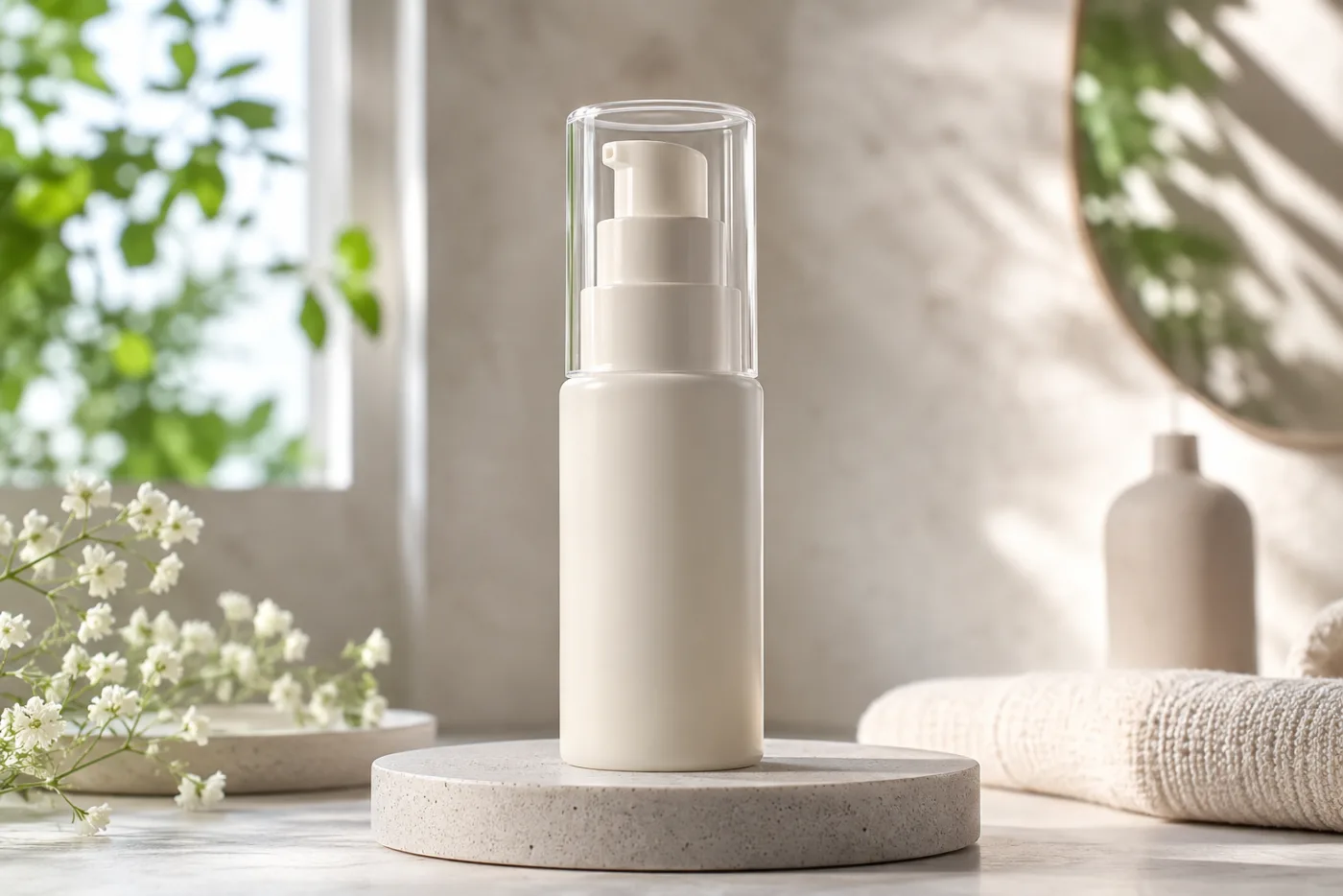
A small-brand Seedance ad video works best when it starts with one clear product image, one message, and one restrained camera or subject motion. An AI video ads generator is strongest when it turns that controlled source asset into a short test, rather than trying to invent the product, write the campaign, and finish the edit all at once. Use the Seedance 2.5 AI video generator to run the test, then decide what to improve from evidence rather than guesswork.
Last updated: July 16, 2026 - about 10 min read
An AI video ad is not a replacement for every product shoot. It is a fast way to test a visual hook, turn an existing hero image into motion, or create a rough creative direction before you spend on a larger production. The most useful result is usually simple: a product remains recognizable, one thing moves, and the frame leaves space for the message you will add later in an editor.
This workflow is designed for a small team with limited source assets. It puts the planning work before the render, where it is cheap to change.
Begin with a decision the video can answer
Before you open a generator, write one sentence that describes the job. Examples: "Show the bottle as a calm morning ritual," "Show the bag's texture and shape in a short vertical reveal," or "Show the dessert steaming on the table before the first bite." These are visual jobs. They are much clearer than "make a viral ad."
Then decide what the audience should notice in the first second. A product shape, a material detail, a color, or a single use moment is enough. If the source image and the requested motion do not support that focus, make a new still or use a different asset first.
The four-stage small-brand workflow
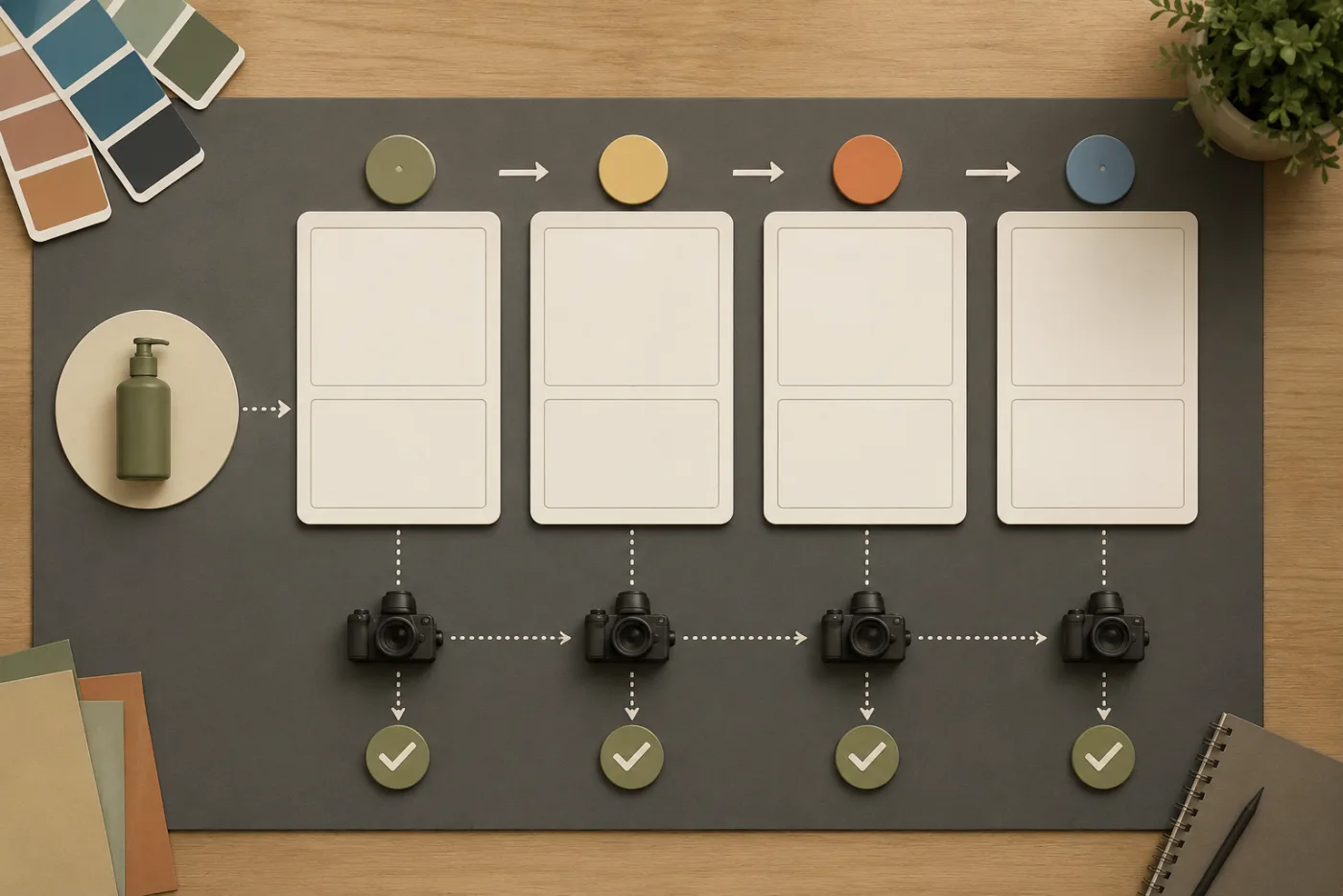
The table below keeps a short AI ad from becoming a vague series of retries. Every stage has one output and one reason to stop or continue.
| Stage | Goal | What to prepare | Quality check before moving on |
|---|---|---|---|
| 1. Source asset | Give the model a readable product | One clear image, rights confirmed, product large enough in frame | Label, silhouette, color, and key edges are visible |
| 2. Hook plan | Decide what earns the first second | One visual action and one audience takeaway | You can describe the clip without saying "make it exciting" |
| 3. Motion test | Animate without rewriting the image | One camera move or subject action, not both at full intensity | Product remains stable and the motion supports the hook |
| 4. Review and edit | Decide whether to rerender or finish elsewhere | A checklist for product truth, crop, pacing, and message space | The clip is usable for the intended channel, or the next test changes one variable |
This is deliberately smaller than a full ad pipeline. It is meant to get you from a source image to a useful test quickly, not to make AI carry every responsibility in a campaign.
What an AI video ads generator needs from the source image
The best starting image already looks like a video frame. The product is large enough to read, the lighting direction is clear, and there is room for a camera push, a small reveal, steam, fabric movement, reflected light, or a hand entering the scene. If the product is tiny, buried in clutter, or covered with unreadable packaging text, a video model has to invent too much.
Use a source you own or have permission to use. If you are working with a client, confirm that the image is approved for this kind of edit. AI does not remove the need for rights, brand review, or accurate product representation.
For a product with important labeling, keep the motion modest and plan to use a verified final frame or a real product packshot in the edit. The more the ad depends on exact typography, finish, or compliance copy, the more you should treat the generated clip as a background or transition element rather than the final proof of product details.
A strong source frame gives the product clear edges, stable light, and room for one restrained motion idea.
Write a motion prompt, not a full commercial brief
An image-to-video prompt should tell the model what moves while protecting what must stay. Start with the image's real composition. Then add a single action and one camera direction.
For example: "Keep the uploaded bottle centered with the same shape, color, and lighting. Use a slow camera push-in as soft window light shifts across the glass and faint mist moves behind it. Keep the product edges and label area stable. End on a clean hero frame."
That prompt does three things: it preserves the source, names the motion, and gives the render an ending. It does not ask the model to add a new room, new people, a dramatic transformation, three camera moves, and a slogan. Save those tasks for the edit or later variants.
For food, you might use a slow push-in and visible steam. For apparel, a gentle fabric movement or a small turn may be enough. For a bag, a clean light sweep can show material without forcing a complicated action. The product should remain the main subject.
Make the first test short and diagnostic
Your first render is a test, not a verdict on the idea. Keep the motion conservative. Review whether the product stays stable, whether the motion appears where you wanted it, and whether the frame still gives you room for a headline, price, or call to action in the final channel.
If the clip fails, change one variable. If the product warps, reduce movement or use a cleaner still. If the camera ignores the prompt, remove other motion language and try one camera instruction. If the image feels flat, adjust the source composition before adding more prompt adjectives.
Do not respond to every weak render by making the prompt longer. More constraints can create conflicts. A short, testable prompt makes it easier to learn why a version worked or did not.
Review the result like a brand owner
Generated motion can look impressive at a glance and still be wrong for an ad. Run a simple review:
- Is the product recognizable through the whole useful part of the clip?
- Are its shape, color, cap, texture, and key details stable enough for the use?
- Does the motion make the product easier to understand or only add noise?
- Is there a clean frame for a headline or end card?
- Does the crop fit the target placement without losing the product?
- Would a customer be misled by what is shown?
If any answer is no, identify the earliest stage that caused it. A poor source image cannot be fixed by a more elaborate prompt. A weak hook cannot be fixed by prettier motion. A clip without message space needs a different composition, not another random render.
Where the AI render should end and the edit should begin
Use the generated clip for the visual beat it can handle: an opening push, a texture reveal, a short product moment, or a transition. Use a normal editor for verified text, legal copy, captions, pricing, voiceover, logos, and precise timing. This division protects your brand and makes revisions easier.
It also lets you reuse one good motion asset. A horizontal source can become a vertical crop, a short social cut, and a product-page loop when the product remains centered and the message is added outside the generation step. Plan that reuse before you render by leaving safe space and avoiding a composition that only works in one crop.
Common small-brand mistakes
Starting from a weak listing photo
If the product is dark, tiny, blurry, or crowded by other objects, the model has little stable information to animate. Retake or redesign the still before you spend credits on motion.
Asking for every ad ingredient in one prompt
Product action, actor performance, camera movement, location change, typography, and a brand story are separate jobs. Start with the product motion. Build the rest in an edit.
Treating a render as proof of the real product
A generated reflection, texture, or color can be visually plausible and still inaccurate. Use real packshots and verified details for claims a customer needs to trust.
Changing five things after a failure
When you change the prompt, source image, length, motion, crop, and style together, you cannot learn from the next result. Make one controlled adjustment and keep a simple render note.
FAQ
Can Seedance make a product ad from one image?
It can help animate a clear product image into a short visual test. The best use is a controlled motion beat, not a replacement for product verification, copywriting, legal review, and final editing.
What is the best first motion for an AI product ad?
Start with one modest camera push, light shift, gentle fabric motion, steam, or a simple reveal that fits the source image. Keep the product stable and legible before trying more ambitious action.
Should I put text into the generation prompt?
Use a standard editor for exact headlines, captions, prices, and legal copy. Generated video is better used for the visual motion underneath those verified elements.
How many versions should I make?
Begin with one controlled test, then make one or two variants that change a single variable such as source crop or motion direction. Stop when the clip answers the creative question or shows that the source needs work.
Treat the first render as a focused creative test
A small-brand Seedance ad video succeeds when the product stays recognizable and the motion makes one message easier to notice. Start with a clean source, plan one hook, test one motion, and finish the precise brand work in an editor. When you are ready to animate a controlled source frame, use the Seedance 2.5 AI video generator for the next test.